NRI Income Tax Compliance
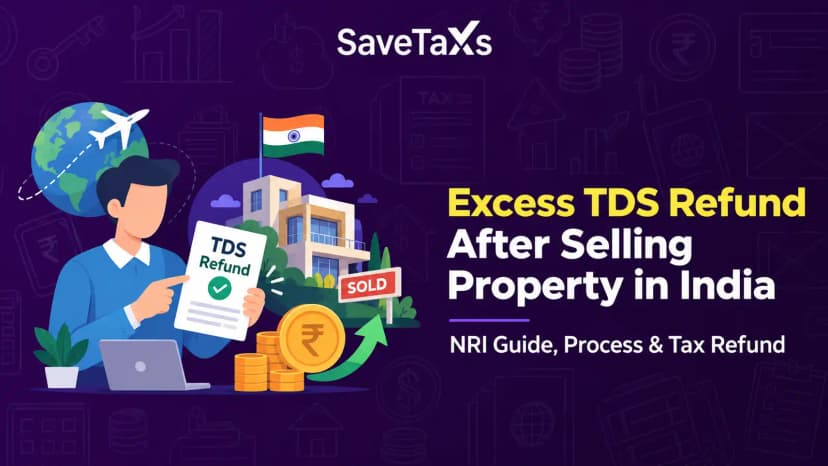
How to Claim Excess TDS Refund After Selling Property in India as an NRIHow to Claim Excess TDS Refund After Selling Property in India as an NRI
Written by Shubham Jain

_1781093818392.webp&w=3840&q=75)
The final step in filing your income tax return is e-verification of your ITR. E-verification means electronically verifying the authenticity and correctness of the information provided in the ITR by the taxpayer.
You must e-verify your ITR within 30 days of filing; if you fail to do so, your return will be marked as invalid. Getting your ITR e-verified ensures that your return is processed and the eligible refunds are issued to you without any delays.
In this blog, we will explore how to e-verify your ITR using various methods to ensure a seamless process.
The income tax e-verification is the process by which the taxpayer agrees to or authorizes that the income tax return filed under his PAN is filed by himself or with his knowledge. The sole purpose of e-verification is to ensure that the ITR filed is authentic and not tampered with.
The following are the several methods available to verify the ITR.
The following are the steps to e-verify the ITR through the Income Tax e-filing portal.
1: Log in to your income tax e-filing account. Under "e-file," select "Income Tax Returns," then "e-Verify Return".
2: Select "I would like to verify using OTP on the mobile number registered with Aadhaar".
3: You will then see a pop-up window on your screen. Tick the checkbox labeled "I agree to validate my Aadhaar details," then click "Generate Aadhaar OTP".
4: Now enter the 6-digit OTP received on your registered mobile number and then click on the "Validate" button. Upon successful submission, your ITR will be successfully verified. Please note that the OTP is valid for only 15 minutes.
Please Note:
For e-verification of ITR via Aadhaar, please ensure that your mobile number is linked to Aadhaar. Furthermore, ensure that your PAN is linked with your Aadhaar number.
If you already have an Aadhaar OTP available
If you already have an EVC code, please select "I already have an Electronic Verification Code (EVC)".
Enter the EVC and click on Continue
Previously, it was mandatory to obtain e-verification via a digital signature certificate (DSC) when the books of account were audited. However, this rule is not eliminated, and you can e-verify your return without the DSC, even if the tax audit provision applies. To e-verify using the DSC:
On the e-verification page, select "I would like to e-Verify using Digital Signature Certificate (DSC)".
Once the process is complete, you will see a success message next to the Transaction ID. Just make sure to record the transaction ID for future use. Furthermore, a confirmation message will be sent to your email address and the mobile number registered with the e-filing portal.
As a taxpayer, if you wish to e-verify your income tax return using the net banking facility, you need to have an active net banking account with your bank.
Select the option "Through Net banking" and click on "Continue".
Choose your bank and click on "Continue."
Review and acknowledge the disclaimer and "Continue."
You will then be redirected to your bank's net banking login page.
Verifying the income tax return through the Demat account is similar to the verification via the bank account. The sole difference is that the EVC will be generated and sent to the mobile number and email address registered with your pre-validated, EVC-enabled demat account.
NRIs, connect with Savetaxs and get guidance for your business ventures in India.
Filing your Indian income tax return on time and completing the e-verification process are the two most essential steps for a taxpayer in order to remain compliant with tax regulations. In case you are unable to verify your ITR through Aadhaar, you can still complete e-verification by following the alternative method on the income tax e-filing portal, ensuring your return is validated without any delays.
As an NRI, if you are seeking professional help to file your ITR and handle all the associated aspects, Savetaxs is the name to trust. Our experts at Savetaxs provides you with comprehensive tax and complex assistance. From client onboarding and assessment to income computation, reconciliation, tax planning, DTAA advisory, end-to-end ITR preparation and filing, query resolution, cross-border compliance, and more, Savetaxs helps you at every step of your NRI taxation journey.
Connect with us as we serve our clients 24/7 across all time zones.
This article is for general informational purposes only and does not constitute tax, legal, financial, or investment advice. Laws, regulations, rates, and procedures may change over time and may vary based on individual circumstances.
While SaveTaxs makes reasonable efforts to keep the information accurate and up to date, readers should verify applicable rules with official authorities or consult a qualified professional before making decisions based on this information.
Vipul Jain is the Co-Founder of SaveTaxs and a tax expert with experience in Indian and NRI taxation. He advises individuals, NRIs, and businesses on tax filing, tax planning, capital gains, DTAA, and compliance matters. He focuses on making complex tax concepts simple and helping taxpayers make informed, compliant decisions. See Full Bio
Want to read more? Explore Blogs