NRI Income Tax Compliance
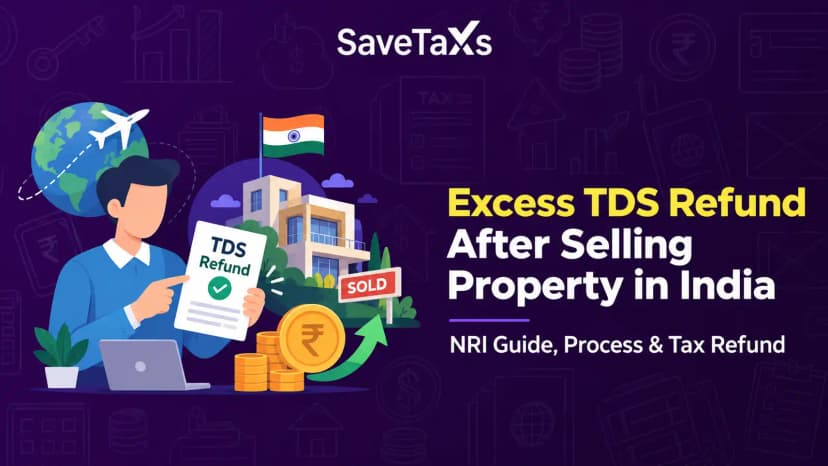
How to Claim Excess TDS Refund After Selling Property in India as an NRIHow to Claim Excess TDS Refund After Selling Property in India as an NRI
Written by Shubham Jain

When you receive an income tax notice, the first thing you must do before responding or worrying about it is to check whether it is genuine. Generally, fake income tax notices do exist and taking action on a fraudulent notice can lead to financial loss or unnecessary complications.
The Income Tax Department provides a quick, free online tool to authenticate any income tax notice or order issued through its system. Authenticating a notice generally takes only five minutes of your time, but saves you from many complications.
In this guide, we will help you with both available authentication methods, common issues you might run into, and what to do if a notice cannot be verified.
Every income tax order or notice is issued by the Indian Income Tax Department and generated through a centralized system. Every income tax notice or order issued through the department's system generally carries a DIN and is linked to the taxpayer's PAN and assessment details. This makes the verification process straightforward.
For you as a taxpayer, the authentication of a notice before responding to it is essential for the following reasons:
Under the expert guidance of Savetaxs, fulfill your tax obligation on time. Document Identification Number
The following is a step-by-step approach to authenticating an income tax notice.
|
PAN, document type, assessment year, date of issue, and mobile number. |
Refer to section 3.1 |
|
Document identification number and mobile number |
Refer to section 3.2 |
3.1 - If you select the option - PAN, Document Type, Date of Issue, and Mobile Number.
Please Note:
Once the OTP is validated, the notice's document number and date of issue will be displayed.
Please note: If no notice is issued by the Income Tax Department, a message will be displayed: "No record found for the given criteria."
3.2: If you select the option- Documents Identification Number & Mobile Number
Please Note:
Once the OTP is validated, a success message will be displayed.
Note: If no notice is issued by the Income Tax Department, a message will appear: "No record found for the given document number."
Generally, all authentication attempts for notices went smoothly; however, a few issues can arise regularly, especially for NRIs and taxpayers whose portal details haven't been updated recently.
The following are common issues that arise when authorizing an Income Tax Notice.
This is one of the most common and frequently rising problems. It usually happens because:
If your registered mobile number is inactive, please log in to the e-filing portal and update it in your profile settings before attempting to authenticate the notice again.
For NRIs: If you are living outside India and your Indian SIM is inactive, updating your primary mobile number to an active international number or an NRE/NRO-linked account number is worth doing sooner rather than later, in case you need it urgently.
The authentication system requires exact details. Even a single incorrect digit in the notice number or an incorrect date format can cause authentication to fail. A notice number with even one wrong digit, or a date entered in the wrong format, will result in a failed number. Before you assume the notice is fake, re-enter the details carefully and try again.
Check whether the notice number includes the prefix letter (like ITBA/AST/etc), and whether you need to include it or just the numeric portion- the portal instruction usually clarifies this.
If the mobile number you entered does not match the one registered with your PAN on the portal, you will not receive the OTP. Understand that this is different from an incorrect notice detail; it is somewhat a profile issue.
Log in to your e-filing account, check the mobile number under your profile, and either use that number for authentication or update it to your current active number first.
If you have entered every detail correctly and the income tax notice still does not authenticate, here is how to handle it.
With Savetaxs, from tax planning to filing and deductions, experts handle everything for you.
For a taxpayer, authenticating an income tax notice online is quick and free, and you must do it before responding to the notice. The authentication facility helps taxpayers reduce the risk of responding to fraudulent communications or making procedural mistakes.
If the notice is genuine, authentication provides the confirmed details you need to respond appropriately. And if the notice is not genuine, you have potentially saved yourself from a scam by merely authenticating the notice.
Just keep your mobile updated on the e-filing portal, know where to find your Document Identification Number, and use the portal inbox, not just the email, as your primary source for any official communication. These few tips will make the entire process smooth and easy.
As an NRI, if you are looking for professional services to help you address your income tax notice, Savetaxs is the name to trust. We help NRIs with notice authentication by verifying the genuineness of the tax notices by validating the Document Identification Number (DIN) on the Income Tax portal to prevent phishing scams. Furthermore, the experts help you with document compilation and discrepancy analysis.
Connect with us as we serve our clients 24/7 across all time zones.
This article is for general informational purposes only and does not constitute tax, legal, financial, or investment advice. Laws, regulations, rates, and procedures may change over time and may vary based on individual circumstances.
While SaveTaxs makes reasonable efforts to keep the information accurate and up to date, readers should verify applicable rules with official authorities or consult a qualified professional before making decisions based on this information.
Vipul Jain is the Co-Founder of SaveTaxs and a tax expert with experience in Indian and NRI taxation. He advises individuals, NRIs, and businesses on tax filing, tax planning, capital gains, DTAA, and compliance matters. He focuses on making complex tax concepts simple and helping taxpayers make informed, compliant decisions. See Full Bio
Want to read more? Explore Blogs