NRI Income Tax Compliance
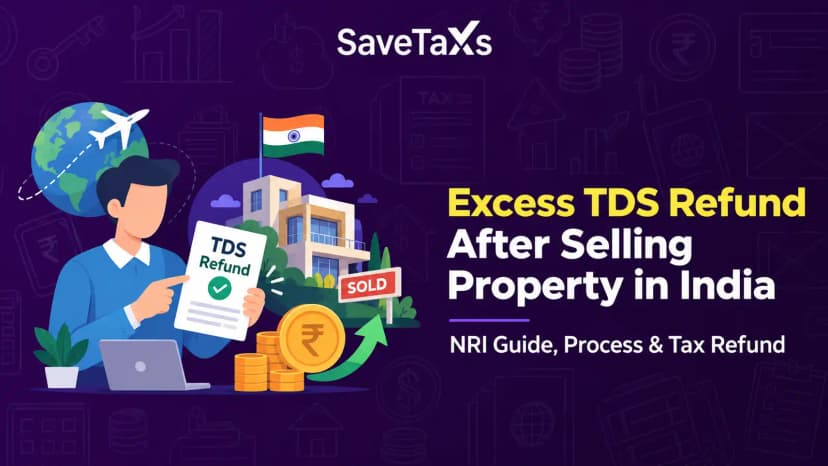
How to Claim Excess TDS Refund After Selling Property in India as an NRIHow to Claim Excess TDS Refund After Selling Property in India as an NRI
Written by Shubham Jain

_1784376356528.webp&w=3840&q=75)
When you file your income tax return, the most important step is choosing the correct ITR form. You will face delays in processing, errors, or even receive a notice from the Income Tax Department if you file using the wrong form. So, to make this process easier, the department offers a built-in feature. This feature is included in the e-filing portal that helps taxpayers to identify the correct ITR form based on your eligibility and source of income.
The portal provides multiple ways to identify the applicable ITR form, regardless of whether you are a freelancer, business owner, pensioner, or salaried employee. In this blog, we will discuss how to use this feature, who can use it, how it works, and much more.
The ITR identification service can be used by taxpayers who are registered on the e-filing portal with a valid PAN. Whether you file your return offline by using the utility or online through the portal, the process to identify the applicable ITR form and schedules remains the same.
Follow the steps below to identify the correct ITR form applicable to you through the e-filing portal:
After this, you will get different options based on how familiar you are with the various ITR forms. Let's discuss these options and know what to do.
File your ITR with 100% accuracy, compliance, and confidence by seeking help from Savetaxs.
If you already know which ITR form you need to file, choose it from the "I know which ITR form I need to file' drop-down menu. Similarly, if you know the schedules applicable to you, select the 'I know which schedules I need to fill' option.
After that, proceed to the schedule selection page and choose the relevant one. However, if you are not sure about the applicable schedule, click on 'Learn More'.
Once you do that, you will have to answer some questions. Then, the portal will automatically enable the schedule relevant to your return based on the responses you submit.
Under which ITR form to file, click on 'Help me decide' if you are not sure about which ITR form you need to choose. Based on your taxpayer status, the portal will show the eligibility requirements for different ITR forms.
For example, you may see options such as ITR-1, ITR-2, ITR-3, and ITR-4. Ensure you read the conditions carefully and choose the forms that match your eligibility. At last, click on 'Proceed to ITR filing' to continue.
After checking the qualifying conditions, if you are still not able to identify the correct form, click on the 'Still not clear, let us help you' option.
Once you do that, you will be required to answer a series of simple questions. These questions will be related to your residential status, house property, business or professional income, and other income sources.
The portal will suggest the correct ITR form based on the answers you give. After you see the recommendation, click on 'Continue' to proceed further with filing your return.
Once you are sure that the selected or recommended ITR form is correct, click on 'Let's get started' to begin the return filing process. Also, the portal may ask some extra questions relevant to your tax profile.
Fill in the required details, review each piece of information carefully, and submit the return after e-verification.
To ensure a smooth and error-free ITR filing process, the main step is to choose the correct ITR form. The good thing is that taxpayers no longer need to guess the form, as the IT department provides a built-in identification feature. This feature helps choose the correct ITR form to ensure accuracy and compliance.
Moreover, if you have multiple income sources and are confused about the NRI ITR filing process, consult an expert at Savetaxs. We have a team of experts who help ensure you file your return using the correct form, report all income accurately, and complete the entire process without any stress or delays. Contact us today, as we are actively working 24/7 across all time zones.
This article is for general informational purposes only and does not constitute tax, legal, financial, or investment advice. Laws, regulations, rates, and procedures may change over time and may vary based on individual circumstances.
While SaveTaxs makes reasonable efforts to keep the information accurate and up to date, readers should verify applicable rules with official authorities or consult a qualified professional before making decisions based on this information.
Shubham Jain is the Founder of SaveTaxs and has extensive experience in Indian and NRI taxation. He advises individuals, NRIs, and businesses on tax filing, tax planning, capital gains, DTAA benefits, fund repatriation, and compliance matters. He regularly writes about taxation and related financial topics. His focus is on making complex tax concepts easy to understand. Through his articles, he helps taxpayers stay informed, avoid common mistakes, and stay compliant with Indian tax laws. See Full Bio
Want to read more? Explore Blogs