


PAN Card
PAN Card Fraud: How Check For The Misuse, Report, and ProtectPAN Card Fraud: How Check For The Misuse, Report, and Protect
Written by Shubham Jain

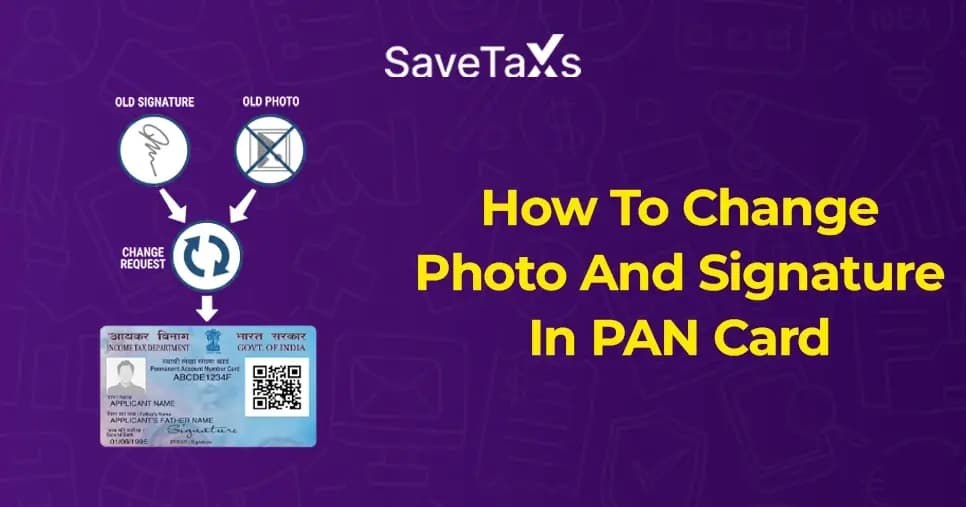
A PAN card is an identification document issued by the Income Tax Department. This card helps the Indian Financial System map one's personal financial information. Therefore, any information presented on this card must be up to date to avoid any compliance issues.
Now, changing the information on your PAN card is no longer a tedious task if you know the proper steps and have all the required documents.
In this blog, we will discuss how anyone, whether an Indian resident or an NRI, can change their signature or photo on the PAN card.
The PAN card photo change process for NRIs or Indian residents involves updating the existing photograph on your PAN card to ensure it meets verification standards and reflects your current appearance.
Having an updated photograph is essential for having smooth financial transactions in India.
As mentioned, the process of changing the photo on your NRI PAN Card or Indian has been more straightforward than ever, as you can easily visit the official website to complete the update.
To do so, please follow the following steps:
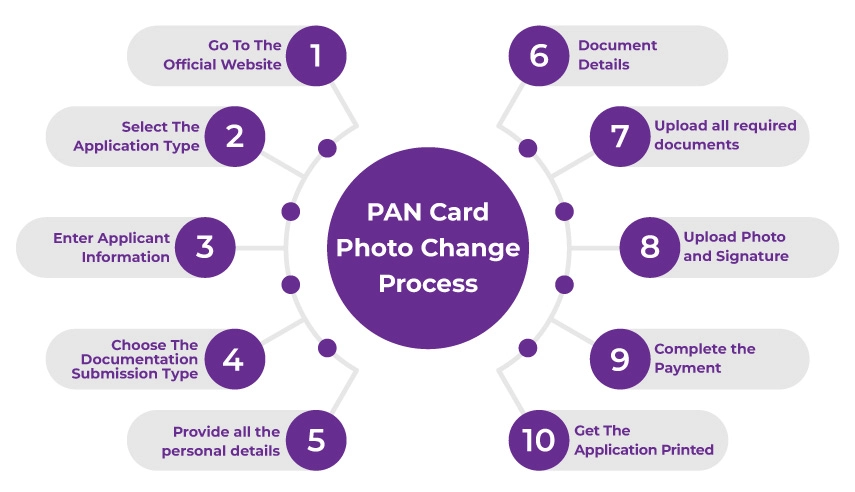
Visit the official website of Protean e-Gov Technologies Limited (formerly known as NSDL).
On the homepage, scroll down to the section "Change/Correction in PAN Data" and click "Apply Now".
Now, under the "Application Type", choose "Changes or Corrections in Existing Pan Data".
Then, as a category, select "Individual".
Enter all the details asked for, such as your name, date of birth, email, mobile number, and the PAN Card number.
Now comes the part where you will select whom you want to submit the documents required for the PAN card photo change.
You will be provided with two options: either submit scanned images of all documents via e-sign or "Forward the application documents physically".
Fill in your Aadhar number (if there), name, gender, date of birth, and your father's name.
Now, based on your requirements, you can tick the boxes for "Photo Mismatch" and/ or "Signature Match".
Enter the name of your parents (father or mother) and then click on "Next".
On the next page, you will be asked to enter your address, email, and phone number, then click "Next".
Now select all the documents required for proof of identity, proof of address, date of birth, and proof of PAN that you want to enclose from the drop-down box.
Then enter the date, place, and the declaration.
You will now be required to upload scanned copies of your documents, including your identity proof, date of birth, and address proof, for verification.
Also, please ensure to attach a copy of your existing PAN card or the PAN allotment letter.
Please be very mindful of the picture and signature dimensions when uploading. You will need to upload two recent passport-size photos (3.5 cm x 2.5 cm). The photograph must be taken on a white background with the face being clearly visible.
For signature, provide a clear scanned copy of your signature (2.5 cm x 4.5 cm) to update the picture on your PAN card.
To conclude the process, pay the required processing fee for the PAN card update.
You can make the payment using your credit or debit card, net banking, or demand drafts.
Save the complete application form and print it. Don't forget to attach your photographs and sign in the designated space.
Now, post the application form, along with all required documents, to the following address.
Income Tax PAN Services Unit
Protean eGov Technologies Limited
4th Floor, Sapphire Chambers,
Baner Road, Baner, Pune - 411045.
Please ensure that you will receive a 15-digit acknowledgment number. This number is used to track the status of your PAN card photo change application on the authorised Protean website.
The online process is quite feasible for NRIs living abroad who want to do a PAN Card photo change
File NRI ITR with end-to-end assistance at Savetaxs.
Some applicants want to change their PAN Card photo offline. To do so, follow the steps mentioned below.
Step 1: Download the PAN card update application form from the official Protean website.
Step 2: Now fill out the entire form and submit it, along with all required documents, to the nearest PAN center. However, please ensure to tick the "Photo Match' option on the Pan to change the photo.
Step 3: At the PAN card center, pay the required fees. Upon payment, you will receive an acknowledgment slip.
Step 4: Submit the Acknowledgment Slip to the Income Tax PAN Service Unit of the NSDL within 15 days.
Just like you updated the picture on your PAN Card, changing the signature on your PAN Card is also simple. Follow the steps mentioned below to make the changes in compliance.
Visit the official website of Protean e-Gov Technologies Limited (formerly NSDL).
On the home page, scroll down to the "Change/Correction In PAN Date" section and click "Apply Now".
Under the application type, choose "Changes or Corrections in Existing PAN Data."
Now, select "Individual" as the category.
Provide all required details about yourself, including your date of birth, email, name, mobile number, and PAN number. Double-check that every detail you enter is correct.
Choose the residential source and tick the declaration.
Then, to generate the token number, click on "Submit".
Note the token number for future reference to change the signature on the PAN card.
Now select how you want to complete the document submission for the signature update.
You can either forward the application documents physically or submit scanned images via e-signature.
Select the check next to the "signature mismatch".
Now, enter the personal details in the "address and contact section".
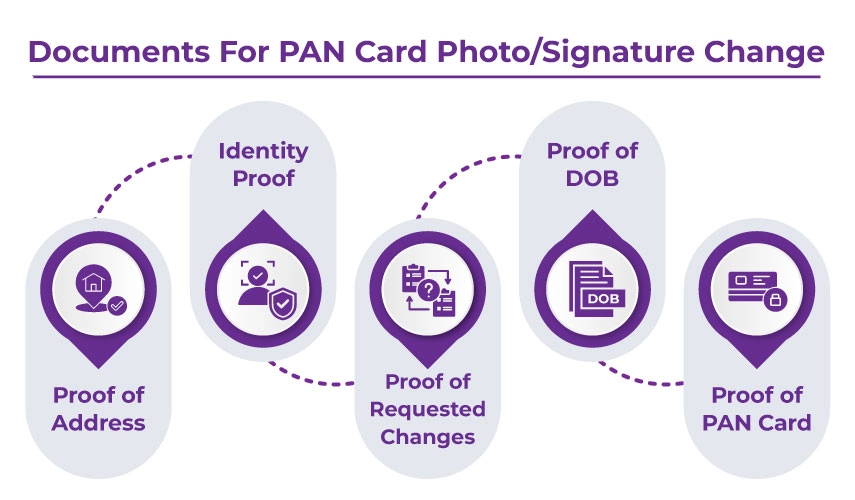
And provide the documents as proof for:
If you can submit a copy of your Aadhaar card, the three documents above will not be required. Also, ensure you submit either a copy of your PAN card allotment letter or a copy of your PAN card.
Now tick the box making the declarations and click on "Submit. If you want to make any changes to the information you have entered, click "Edit" to update it further.
You will be required to upload a clear scanned copy of your signature (2 cm x 4.5 cm) to change the signature on your PAN Card. Along with this, also upload two recent passport-size photographs (3.5 cm x 2.5 cm) taken against a plain white background, with the face clearly visible.
Pay the required fees for the PAN card update.
You can make the payments using a credit card, debit card, net banking, or demand drafts.
Save and print the completed application form.
Attach the photograph to the form and sign the form.
Post the envelope containing your application form and supporting documents to the following address.
Income Tax PAN Service Unit.
Protean eGov Technologies Limited
4th Floor, Sapphire Chambers,
Baner Road, Baner, Pune - 411045.
You will receive a 15-digit acknowledgment number. This number is used to track your PAN Card Status for signature change on the official website of Protean.
The offline signature change on your PAN card is quite simple if you follow the steps mentioned below.
The following are the standard documents required for PAN card updates.
Apply or update your PAN card in a few minutes with Savetaxs- quick and hassle-free services for NRIs.
Now that you have the right ideas for changing your Photo or sign, you can do it securely without any hassles. However, NRIs living abroad often find it challenging to navigate the entire process due to different requirements.
Well, Savetaxs is here to navigate through the entire process seamlessly. We have been helping NRIs from 90+ countries with PAN card updates, corrections, reissuance, or new applications.
Our experts will consult with you throughout the process and provide end-to-end assistance until the job is done.
Connect with us today as we serve our clients 24/7 across all time zones.
This article is for general informational purposes only and does not constitute tax, legal, financial, or investment advice. Laws, regulations, rates, and procedures may change over time and may vary based on individual circumstances.
While SaveTaxs makes reasonable efforts to keep the information accurate and up to date, readers should verify applicable rules with official authorities or consult a qualified professional before making decisions based on this information.
Shubham Jain is the Founder of SaveTaxs and has extensive experience in Indian and NRI taxation. He advises individuals, NRIs, and businesses on tax filing, tax planning, capital gains, DTAA benefits, fund repatriation, and compliance matters. He regularly writes about taxation and related financial topics. His focus is on making complex tax concepts easy to understand. Through his articles, he helps taxpayers stay informed, avoid common mistakes, and stay compliant with Indian tax laws. See Full Bio

Want to read more? Explore Blogs
_1780641850455.webp&w=828&q=75)
_1780465430494.webp&w=828&q=75)
_1780318424443.webp&w=828&q=75)