NRI Income Tax Compliance
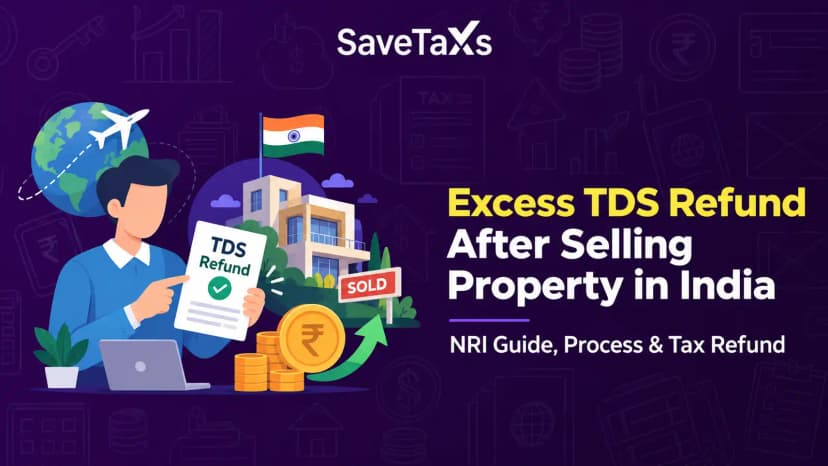
How to Claim Excess TDS Refund After Selling Property in India as an NRIHow to Claim Excess TDS Refund After Selling Property in India as an NRI
Written by Shubham Jain
As a taxpayer in India, receiving a demand notice from the Income Tax Department under Section 156 can be overwhelming, especially if you are not expecting a tax liability. However, there's nothing to be worried about. A demand notice under Section 156 is generally a formal communication requiring payment of tax, interest, or penalty and should not be confused with a scrutiny or investigation notice. Instead, the demand notice is just a simple formal payment request.
In this blog, we will understand everything about the Section 156 demand notice, what they mean, why you may receive one, and what to do next when you receive the notice.
A demand notice under section 156 of the Income Tax Act is a formal communication issued by the Income Tax Department requiring the taxpayer to pay the tax, penalties, or interest due. The payment should be made within the period specified in the demand notice, which is generally 30 days from service of the notice.
The different types of demand notices, or deemed demand notices, under section 156 of the Income-tax Act are as follows:
An intimation under Section 143(1) is treated as a demand notice under Section 156 only where any tax, interest, fee, or other sum is payable. The CPC (Central Processing Center) issues the intimation notice under section 143(1) to the taxpayer at the taxpayer's registered email address. The intimation is sent as an acknowledgment that the Income Tax Department has successfully processed the taxpayers' income tax returns. ITR processing is done automatically, and the outcome is communicated to the concerned taxpayer.
If the intimation determines any tax, interest, fee, or other sum as payable, it is treated as a demand notice under Section 156.
An intimation under section 200A(1) is an intimation issued by the CPC Bengaluru. It is issued regarding the tax, penalty, or interest due on the automatic processing of TDS by the Department of Income Tax. It is also considered a demand notice under section 156.
An intimation notice under Section 206CB(1) is issued by the Central Processing Center Bengaluru. It is issued with respect to the tax, interest, or penalty due on the automatic processing of Tax Collected at Source (TCS) by the Department of Income Tax. Further, it is also considered a demand notice under section 156.
Under Section 210(3), the assessing officer issues a demand notice for the payment of advance tax. It is also considered a demand notice under Section 156 of the Income-tax Act. This particular notice is issued under Section 210(3) when the Assessing Officer suggests that the taxpayer's estimated income justifies a higher advance tax payment than the taxpayer has paid.
At Savetaxs, get expert guidance and fulfill your tax obligations accurately and on time.
Any tax, interest, or penalty demand intimation under section 206CB(1), section 200A(1), or section 143(1) must be paid within 30 days of receipt of the intimation. However, please understand that the timeline for paying the ESOP tax is different, as we discussed above.
The payment under section 210(3) must be made within the time window of 30 days of the issue of the demand notice under section 156. That aside, if the demand notice is issued mid-year, the due date will align with the advance installment payment due date.
When you receive a demand notice, you must evaluate why it was issued to you and calculate your liability. Now, based on your evaluation and the calculation, you must respond to a demand notice likewise:
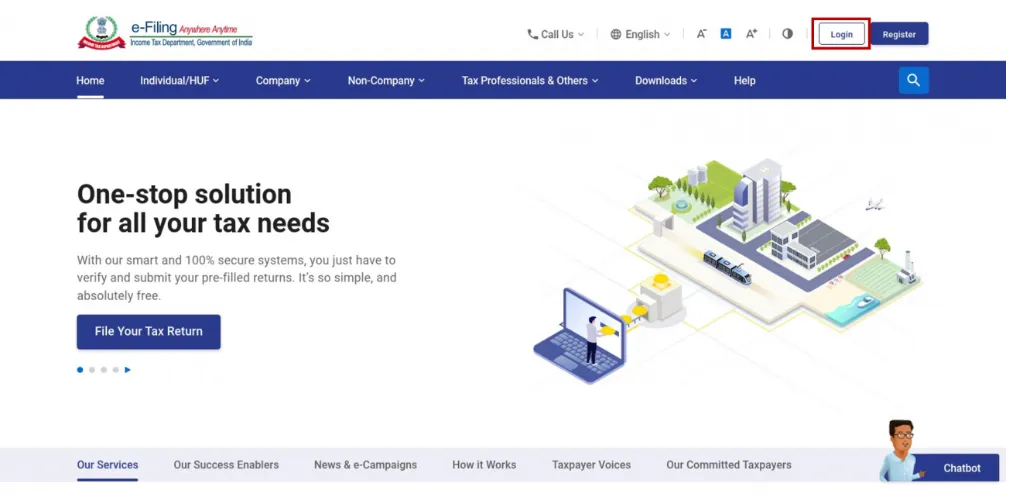
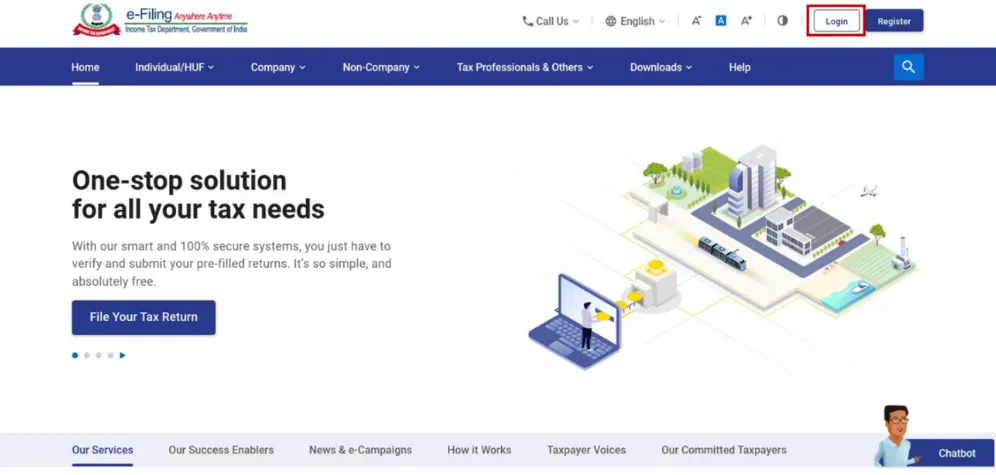
In such a case, The demand notice is generally made available on the Income Tax e-filing portal and may also be communicated through email. To access the notice content, you must log in to your e-filing account at www.incometax.gov.in, where you can record your responses.
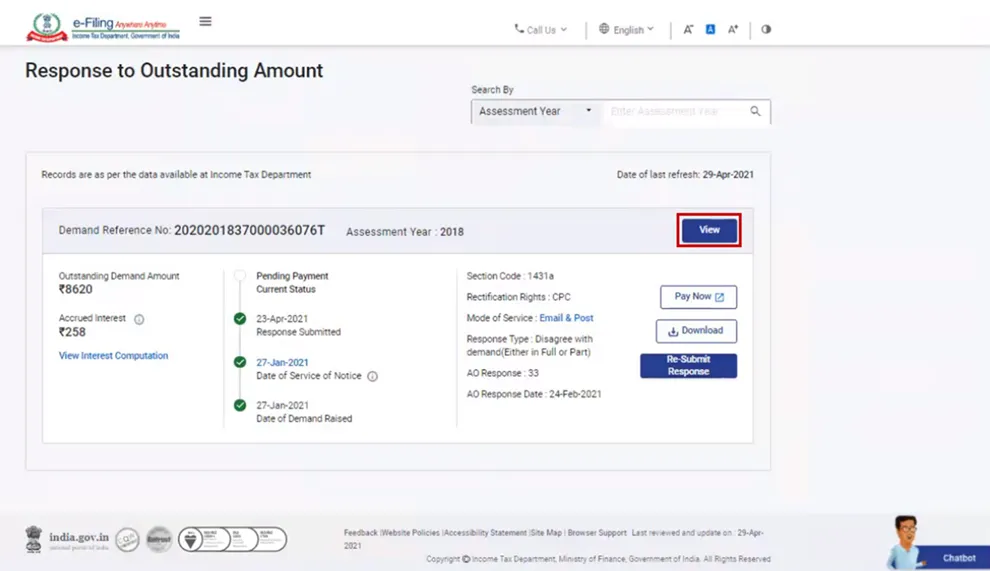
The following is the step-by-step guide to respond to a demand notice:
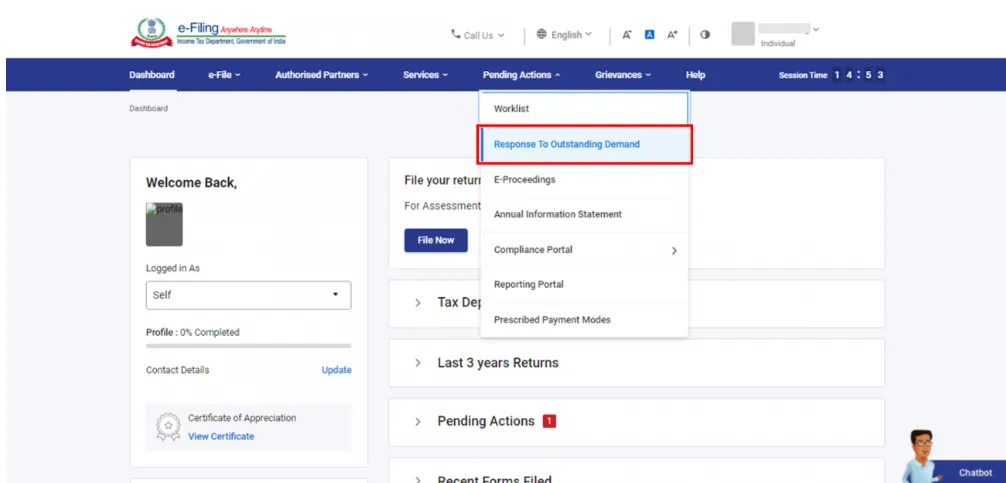
Please note: To make the payment, click "Pay Now" on the same page. You will then be redirected to the e-pay tax page.
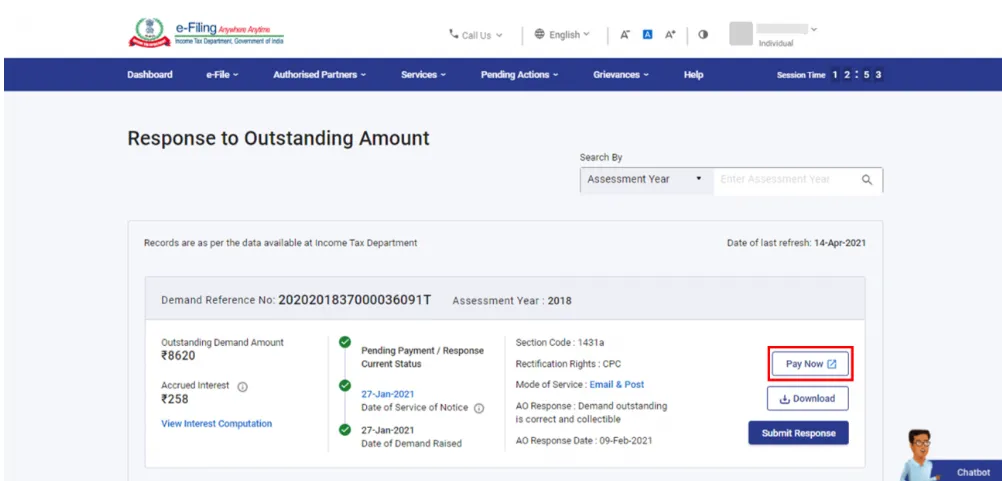
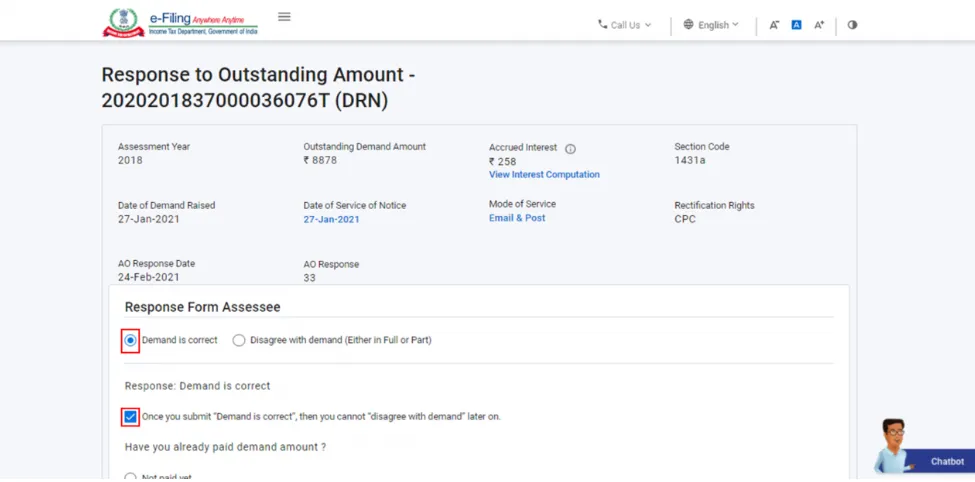
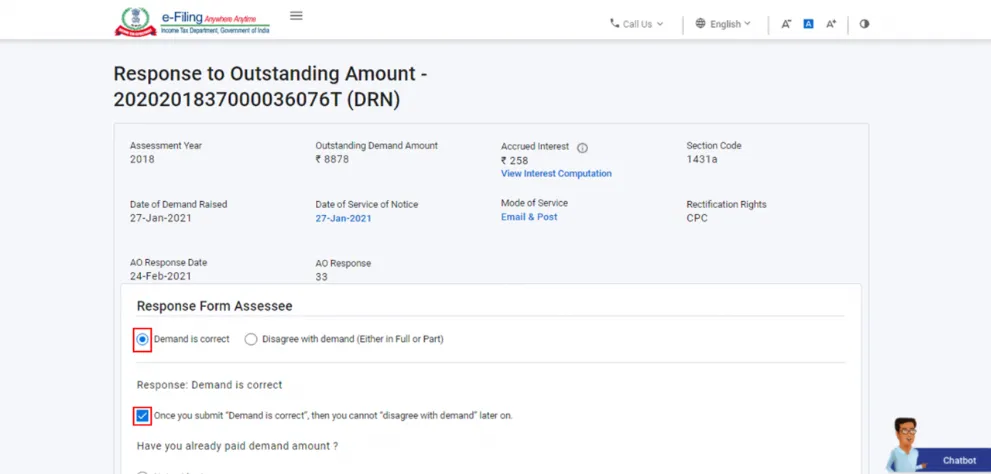
The following are the options to respond to the demand notice;
For this case:
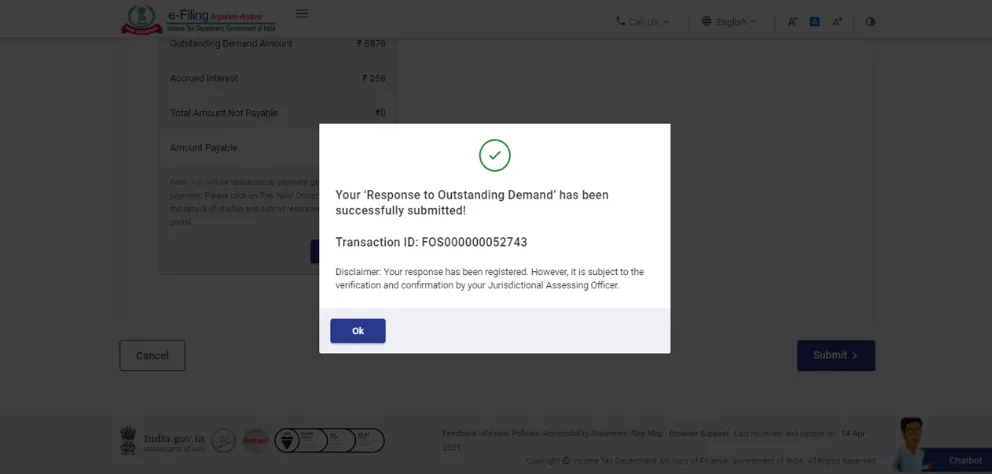
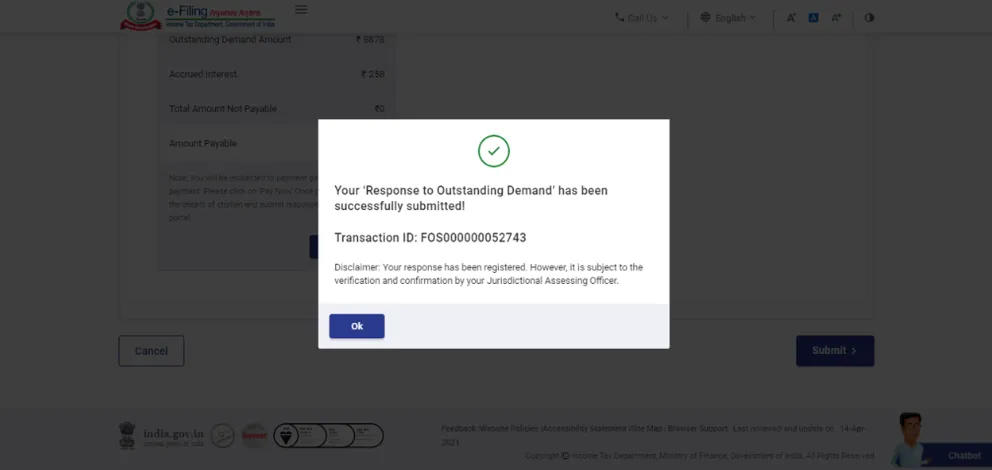
Please note: Once your payment is successful, a success message and the transaction ID will appear on the screen.
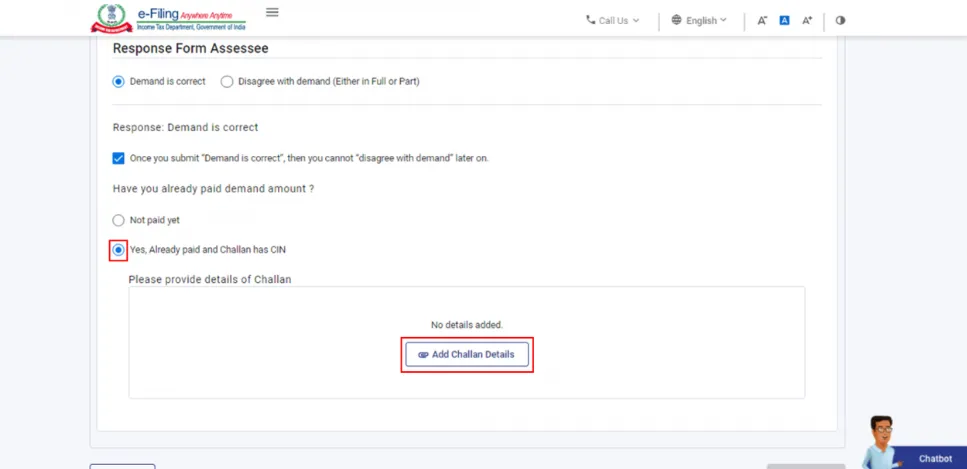
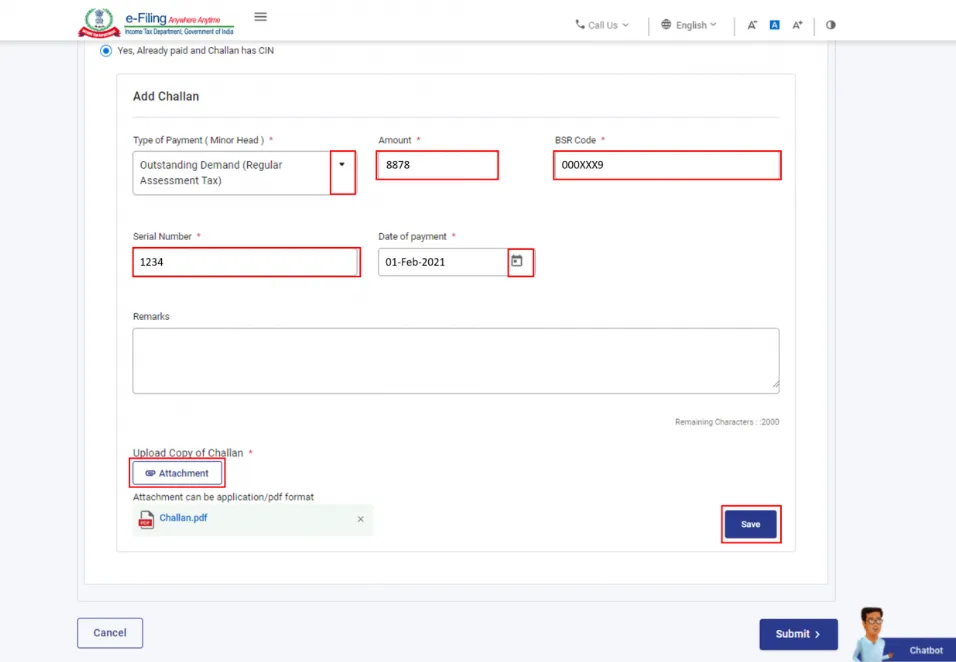
Note: Ensure that the maximum size of a single attachment is 5 MB. If you have multiple documents, zip them into a folder, and the zip file must be less than 50 MB.
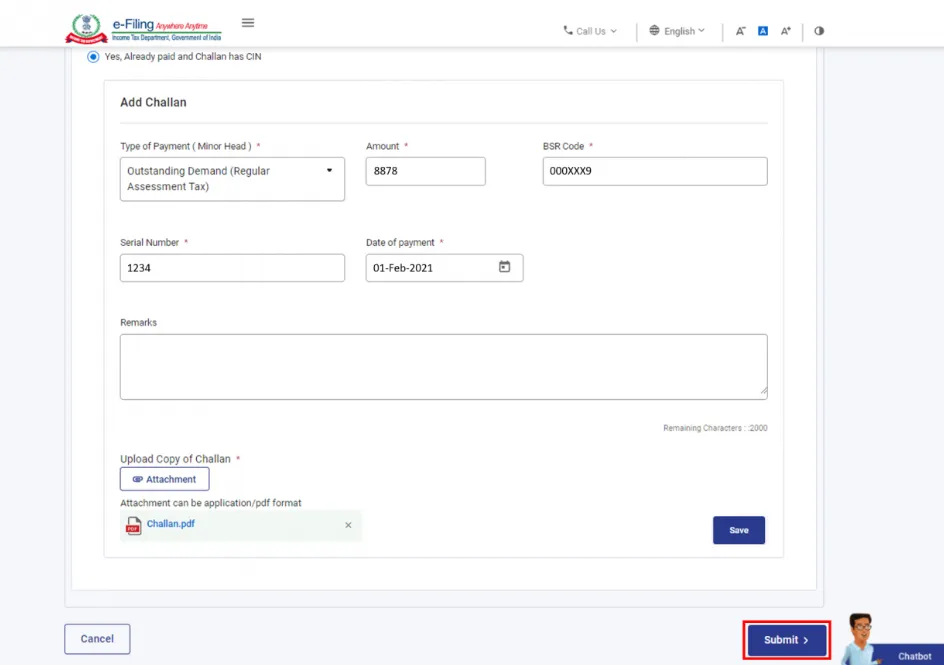
Upon successful payment, a success message will be displayed on the screen along with the transaction ID.
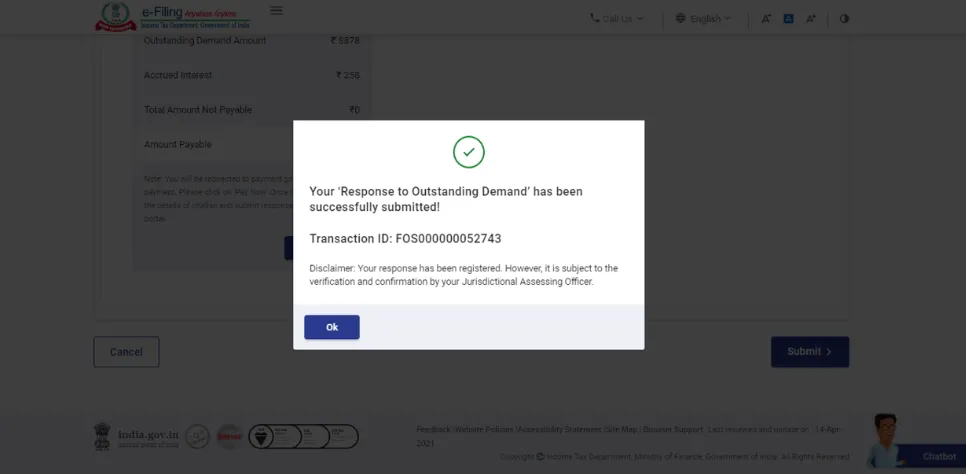
Note: You will be taken to the e-pay tax page to make the payment.
Once the submission is successful, the transaction ID will be displayed.
To do;

The following is the list of documents you will need to respond to the notice.
For TDS mismatch disputes:
For income reporting corrections:
For DTAA-related demands:
For foreign income or asset disputes:
For interest or penalty demands:
Ensure the documents are organized by assessment year. At times, the demands may relate to assessment years that are 3 to 5 years old.
Ignoring a demand notice does not mean it will go away on its own; instead, it makes the situation worse and can be expensive to resolve if not addressed within the set timeline.
Here is what can happen if you do not respond to the notice within the timeline.
If you have already missed the deadline, please do not assume the window has closed by now. At times, you can still respond with a valid reason for the delay- but the sooner you act, the better position you are in.
Connect with Savetaxs and get expert assistance for your ITR filing, tax compliance, and refund claims.
In simpler terms, when the Income Tax Department rolls out a demand notice under Section 156, it is their formal way of saying, "You owe this amount, so please pay it within 30 days from today." The reasons for receiving a demand notice vary; for many taxpayers, the notice is due to a TDS mismatch or a processing error that can be resolved easily by providing the correct documentation and a prompt response. For NRIs, the same situation can be slightly more layered in terms of regulations, specifically when the DTAA claims, foreign income, or residential status is involved. In such cases, responding to a notice without professional input can sometimes make your situation even more complicated.
The right approach to dealing with a demand notice is to first verify the demand, check whether it is correct, and either pay it promptl or dispute it with accurate supporting documents. Regardless of how you do it, just ensure the deadline is not passed.
Connect with Savetaxs as we serve our clients 24/7 across all time zones.
This article is for general informational purposes only and does not constitute tax, legal, financial, or investment advice. Laws, regulations, rates, and procedures may change over time and may vary based on individual circumstances.
While SaveTaxs makes reasonable efforts to keep the information accurate and up to date, readers should verify applicable rules with official authorities or consult a qualified professional before making decisions based on this information.
Vipul Jain is the Co-Founder of SaveTaxs and a tax expert with experience in Indian and NRI taxation. He advises individuals, NRIs, and businesses on tax filing, tax planning, capital gains, DTAA, and compliance matters. He focuses on making complex tax concepts simple and helping taxpayers make informed, compliant decisions. See Full Bio
Want to read more? Explore Blogs