NRI Income Tax Compliance
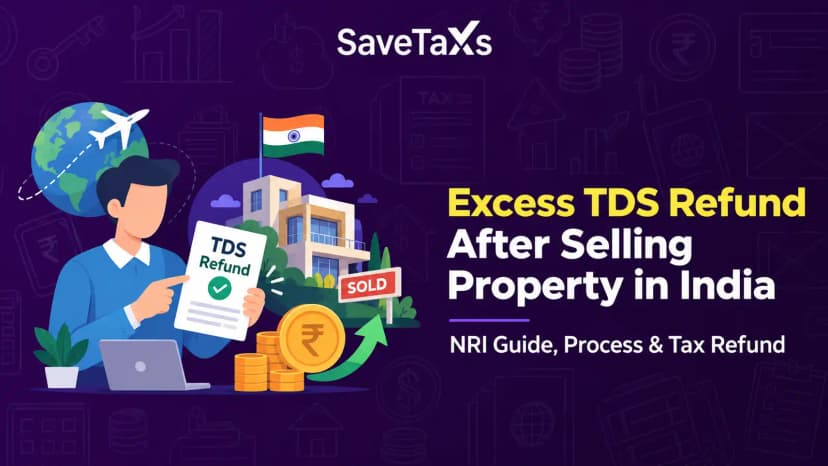
How to Claim Excess TDS Refund After Selling Property in India as an NRIHow to Claim Excess TDS Refund After Selling Property in India as an NRI
Written by Shubham Jain
_1771850118295.webp&w=3840&q=75)
With advances in technology, taxpayers can pay their income tax dues, such as advance tax or self-assessment tax, online on the income tax portal via the e-Pay Tax facility. Taxpayers can pay through debit cards, UPI, net banking, or by generating challan.
Once the income tax is paid, the taxpayer must ensure it is reflected in their Form 26AS and ITR.
The following is a step-by-step guide to paying taxes online through the Income Tax Portal.
Select the first box labelled "Income Tax", then click "Proceed".
Enter the payment amounts under each relevant category.
The following is a list of authorised banks available on the Income Tax e-filing portal for e-payment of taxes.
| Axis Bank | Federal Bank New Bank | Kotak |
|---|---|---|
| Bandhan Bank New Bank | HDFC Bank | Karnataka Bank New Bank. |
| Bank Of Baroda | ICICI Bank | Punjab National Bank (PNB) |
| Bank Of India | IDBI Bank | Punjab & Sind Bank |
| Bank Of Maharashtra | Indian Bank | RBL Bank New Bank |
| Canara Bank | Indian Overseas Bank | State Bank Of India |
| Central Bank Of India | Induslnd Bank New Bank | South Indian Bank New Bank |
| City Union Bank New Bank | Jammu & Kashmir Bank | UCO Bank |
| DCB Bank New Bank | Karur Vysya Bank New Bank | Union Bank |
The technological advancement that allows taxpayers to pay taxes electronically has made tax payments much easier. The following are e-Payment benefits:
The following taxpayers must pay their taxes online.
Expert Help. Zero Hassle. Full Compliance.
When you file your taxes, the TDS and the advance taxes you have paid during the year will be deducted from your final tax computation. If the total amount you have paid is not enough to cover the tax balance, you must pay the remaining balance, which is referred to as self-assessment tax.
The self-assessment tax can be paid online to ensure successful e-filing. Furthermore, you should also pay the interest under section 234B and 234C, plus the amount of taxes due if you are paying the taxes after 31 March.
If the taxpayer's annual tax dues exceed the threshold of Rs 10,000, you must pay the income tax in advance. Generally, employers in the salaried class must make these income tax payments through TDS deductions.
The following tables show the due dates for paying advance tax for individuals.
| Due Dates | For Individuals |
|---|---|
| On or before 15 June 2025 | Up to 15% of the advance tax |
| On or before 15th September 2025 | Up to 45% of the advance tax already paid |
| On or before 15th December 2025 | Up to 75% of the advance tax, less the advance tax already paid |
| On or before 15th March 2026 | Up to 100% of the advance tax, less advance tax already paid. |
Under sections 234B and 234C of the Income Tax Act, the non-payment of advance tax can result in penalty interest being imposed.
At times, the taxpayer may have to make an income tax payment to comply with the income tax demand notice. Once you agree with the assessing officer and are all set to pay the demand, you can do so online. It is also referred to as the tax on regular assessment.
Savetaxes provides end-to-end advice on NRI tax planning, return, and compliance.
For both Indian residents and NRIs, filing income tax returns is now easier, thanks to an array of online payment options. These online payment options can be accessed through the Income Tax Portal. We believe that after reading this blog, the taxpayer will have a clear understanding of the entire process of paying taxes online via the income tax portal.
For NRIs seeking professional assistance to file their income tax return in India, Savetaxs is the name to trust. Our tax experts are highly professional in evaluating your income tax returns, verifying data, processing refunds, managing assessment records, handling data entry, and more.
We provide end-to-end assistance with tax filing queries. Connect with us as we serve our clients 24/7 across all time zones.
This article is for general informational purposes only and does not constitute tax, legal, financial, or investment advice. Laws, regulations, rates, and procedures may change over time and may vary based on individual circumstances.
While SaveTaxs makes reasonable efforts to keep the information accurate and up to date, readers should verify applicable rules with official authorities or consult a qualified professional before making decisions based on this information.
Vipul Jain is the Co-Founder of SaveTaxs and a tax expert with experience in Indian and NRI taxation. He advises individuals, NRIs, and businesses on tax filing, tax planning, capital gains, DTAA, and compliance matters. He focuses on making complex tax concepts simple and helping taxpayers make informed, compliant decisions. See Full Bio
Want to read more? Explore Blogs