NRI Income Tax Compliance
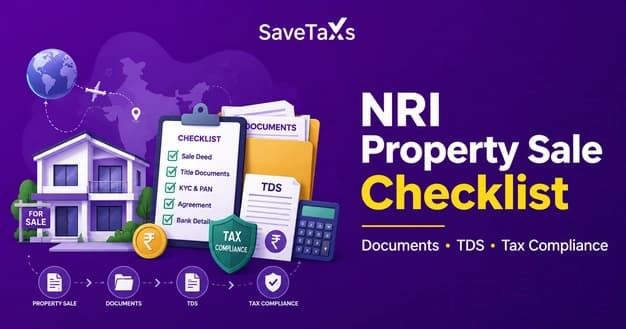
NRI Property Sale Checklist: Documents, TDS & Tax ComplianceNRI Property Sale Checklist: Documents, TDS & Tax Compliance
Written by Shubham Jain
_1779772204974.webp&w=3840&q=75)
TAN (Tax Deduction and Collection Account Number) is a 10-digit alphanumeric number issued by the Income Tax Department. Every person deducting TDS or collecting TCS must obtain a TAN. Once you obtain a TAN, you must register it on TRACES and the income tax e-filing portal. After registering it, you need to activate it before using it to file TDS/TCS returns or proceed to 'e-pay' taxes. Keep reading further to understand the process of registering and activating TAN on the income tax e-filing portal.
TAN stands for tax deduction and collection account number. It is a 10-digit alphanumeric number issued by the Income Tax Department. An individual who is responsible for deducting TDS or collecting TCS is required to obtain a TAN mandatorily. Also, someone who needs to quote TAN in TDS/TCS returns, certificates, and notices related to TDS/TCS returns must obtain a TAN.
Ensure that all the required documents and information are in order before starting the TAN registration process. The table below lists all the required documents based on the entity type:
| For Individual/ Sole Proprietor | Required Document | For Companies/ Firms/ Government Entities | Required Document |
|---|---|---|---|
| PAN Card of the Principal Contact | The authorized signatory's PAN must be registered on the e-filing portal. | PAN of the Company/ Organization | Apart from the signatory's PAN, the entity's PAN is also required. Both PANs must be active and linked. |
| Valid TAN (already allotted by the department) | It must have been allotted via Form 498 (online or offline via NSDL/UTTITSL). | Incorporation Certificate/ Registration Document |
|
| Active Mobile Number & Email ID | During registration, you will recieve two OTPs. One to your mobile number and one to your email. Ensure you have access to both in real-time. | Authorisation Letter/ Board Resolution | A formal authorization appointing the principal contact person who will handle the TAN compliance on the organization's behalf. |
| Deductor's Postal Address | Current and complete address of the entity responsible for deducting TDS. The information must match the records in the Income Tax database. | Digital Signature Certificate (DSC), if applicable | DSC may be required by companies filing TDS returns for large-scale deductions. It is required for certain compliance filings on TRACES. |
Make sure to submit all the required documents. Submitting incomplete information or mismatched details can trigger registration failures and delays. Once you have all the documents, you can then start the registration process. Let's see the process to register TAN on the Income Tax Portal.
Before registering TAN on the income tax portal, ensure that you have an active and valid TAN. Also, ensure that the PAN of the principal contact is registered on the e-filing portal. Follow the steps below to complete TAN registration on the income tax portal:
You will see a success message along with a transaction ID on the screen. Ensure to keep a note of the transaction ID for future reference. Once you receive approval from the competent authority, your registration process is complete.
After registering the TAN, the next step is to activate it on the same portal before using it. Let's see how you can activate TAN on the e-filing portal
While trying to log in with your TAN on the income tax portal, you may face an error. The screen may display ' the e-filing account associated with the above user ID has not been activated, kindly activate your user ID to log in to the e-filing portal'. Now, to avoid facing this issue, follow the steps below to activate the TAN user ID:
Ensure to make a note of the transaction ID for future reference. After this, you can log in using your TAN and password and proceed to 'e-pay' taxes. Moreover, only registering the TAN is not sufficient. Any organization or individual needs to activate their TAN to ensure compliance. Let's understand some of the key reasons why activating a TAN is important.
Ensure 100% accuracy and compliance with your tax obligations with expert guidance.
An inactive TAN can create serious compliance issues that may attract financial and legal consequences. Here are some reasons why TAN activation is important:
You cannot file quarterly TDS returns without an activated TAN. Also, under Section 234E, not filing a return within the deadline can attract a mandatory late filing fee of ₹200/day.
The collected TDS must be deposited with the government by the 7th of each month or by the 30th of April (for March deductions). To make these payments on the e-pay tax facility, you need an active TAN. Under Section 201(1A), a delayed deposit can attract an interest at 1.5% per month.
An active TAN is required to generate and download TDS certificates, Form 16, and Form 16A from the TRACES portal. The employees and vendors cannot claim TDS credits in their ITR without a TAN.
Under Section 276B, failing to deduct or deposit TDS can lead to prosecution. It can result in strict imprisonment of 3 months to 7 years, plus a fine.
The deductee's Form 26AS will not reflect the credit if you deduct TDS but don't file the returns due to an inactive TAN. It will directly impact the employees, contractors, and vendors as they cannot claim it in their ITR.
Any errors in deposited challans can create compliance issues over time. To make corrections in the deposited challans, you need access to the TRACES portal. An active TAN is required to use the TRACES portal.
In short, TAN activation is required and mandatory for various reasons. However, while completing the TAN activation process, you may face some issues. Let's check what are the issues you may encounter during the TAN activation process.
You might follow the correct steps, but you may still face some issues during the TAN registration or activation process. The table below lists the common issues/errors, their root causes, and ways to resolve them:
| Error/Issue | Cause | How to Resolve |
|---|---|---|
|
'TAN not found/ Invalid TAN.' |
|
|
| The PAN of the principal contact is not registered | The PAN linked to the TAN is not registered on the e-filing portal as an individual taxpayer | Register the PAN on the official portal online as an individual user. |
| OTP not received on mobile/email |
|
|
| 'TAN already registered.' | A prior incomplete registration exists in the system for the same TAN number. |
|
| Activation request not reflecting in the worklist |
|
|
| 'Account not Activated.' |
|
|
| Mismatch in details/ pre-fill incorrect | The TAN data on TRACES does not match the information in the income tax database. It can be an outdated address or contact in the records. |
|
| Portal Times Out Mid-Registration | This can happen due to slow internet or session expiry. This typically happens after 20 minutes of inactivity |
|
In case you are unable to resolve the issues through the steps above or if the issue continues beyond 72 hours, file a complaint through the portal's grievance section.
Hire an expert at Savetaxs and receive personalised assistance for your NRI tax matters.
Registering and activating your TAN is an important two-step process. You must first register the TAN under the tax deductor and collector category. After that, activate the TAN by logging in using your PAN to approve the activation. Once approved, you can log in with your TAN and password to 'e-pay' taxes.
Furthermore, if you are seeking a reliable NRI PAN card and tax planning service in India, connect with Savetaxs. We are a team of professionals who can help with all your PAN and tax-related queries. They can also help you manage your cross-border finance and tax obligations. Connect with us right away as we actively serve our clients 24/7 across all time zones.
This article is for general informational purposes only and does not constitute tax, legal, financial, or investment advice. Laws, regulations, rates, and procedures may change over time and may vary based on individual circumstances.
While SaveTaxs makes reasonable efforts to keep the information accurate and up to date, readers should verify applicable rules with official authorities or consult a qualified professional before making decisions based on this information.
Vipul Jain is the Co-Founder of SaveTaxs and a tax expert with experience in Indian and NRI taxation. He advises individuals, NRIs, and businesses on tax filing, tax planning, capital gains, DTAA, and compliance matters. He focuses on making complex tax concepts simple and helping taxpayers make informed, compliant decisions. See Full Bio
Want to read more? Explore Blogs