NRI Income Tax Compliance
Income Tax Forms Renamed in 2026: Old vs New Form NumbersIncome Tax Forms Renamed in 2026: Old vs New Form Numbers
Written by Vipul Jain


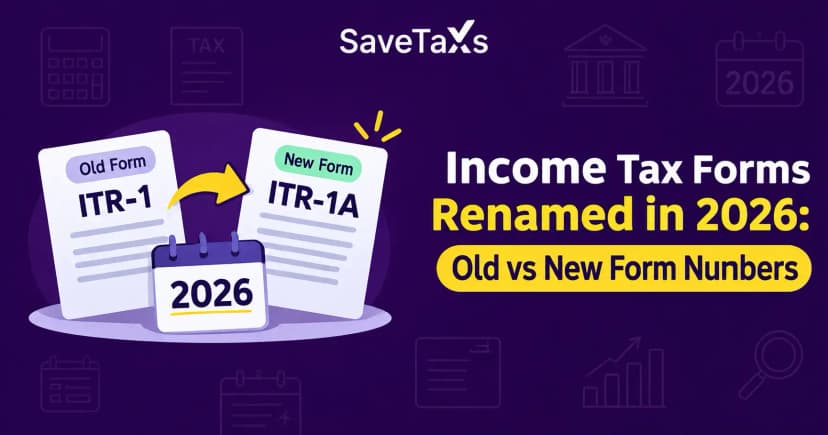
Issued by the Income Tax Department, Form 26AS is an annual tax credit statement against your PAN. It contains all details of TCS, TDS, self-assessment tax, refunds, and major financial transactions for a financial year. However, according to the provisions of the new Income Tax Rules, 2026, Form 26AS has been replaced by Form 168. It is applicable for FY 2026-27.
However, taxpayers must refer to Form 26AS for the current filing season. It is because Form 26AS applies to the income earned during the year FY 2025-26. Keep reading further to know more about Form 26AS. Also, we will cover what the AIS, TDS certificate, steps to download Form 26AS, and much more.
Form 26AS serves as a master record that contains all the TDS deducted against your income in one place. Over the years, its scope expanded, and it now includes details related to all foreign remittances, mutual fund purchases, dividend income, and your turnover.
When filing ITR, neglecting Form 26AS can significantly cost you. You may attract notice from the income tax department if you fail to report even a single transaction. While filing ITR, having Form 26AS ready can help you ensure an accurate and complete return. It also reduces the chances of scrutiny.
To ensure a comprehensive overview of your tax, Form 26AS is divided into several parts:
Part I: Related to Tax Deducted at Source
Part II: Tax Deducted at Source for 15G/15H
Part III: Transaction Under Provisions to Section 194B/ First Provision to Sub-Section (1) of Section 194R/ Provision to Sub-Section (1) of Section 194S:
Part IV: TDS u/s 194IA/ 194IB/ 194M/ 194S (For Contractors of Professionals/ Seller/ Property's Landlord/ Virtual Digital Asset Seller)
Part V - Transaction Under Provision to Sub-Section (1) of Section 194S as per Form- 26QE
Part VI- Tax Collected at Source
Part VII - Paid Refund Details
Part VIII - Tax Deducted at Source u/s 194IA/ 194B/ 194M/ 194S (For Buyer/tenant of property/ person making payment to contractors or professionals/ virtual digital asset buyer)
Part IX - Transactions/ Demand Payments under Provision to sub-section (1) of Section 194S as per Form 26QE
Part X - TDS/ TCS Defaults (Processing of Statements)
Moving further, let's now vv discuss the information available on Form 26AS.
Form 26AS covers all the information mentioned below:
Now that we know the structure of Form 26AS and the information it carries. Let's know how to access it.
Taxpayers can download Form 26AS through their TRACES portal for the relevant financial year. Here are the steps to download Form 26AS:
Moreover, you can also download Form 26AS through authorised banks using a net banking account. This will help avoid logging in to the income tax portal. NRIs can also access Form 26AS while staying abroad. Let's see how NRIs can access Form 26AS.
Connect with Savetaxs and fulfill your tax obligation with 100% compliance.
Non-Resident Indians (NRIs) who earn income in India are liable to TDS at the applicable rates. It can include income from rent, interest, capital gains, or any other source. So, before filing the ITR, NRIs must use Form 26AS to verify the deductions.
NRIs can access Form 26AS from anywhere in the world through the official Income Tax e-filing portal online. The process to download the Form 26AS for NRIs is the same as for resident taxpayers. You just need to log in to the portal using your PAN and password, find the View Form 26AS option, and download the statement from TRACES for AY 2026-27.
You can receive OTP for verification on both Indian and international mobile numbers. Moreover, as an alternative, email-based OTP is available for those who don't have an active Indian number. Keep in mind that you can view Form 26AS only if your PAN is linked to a bank account. (Check whether it is mandatory to link PAN to view Form 26AS)
Moreover, NRIs who have their PAN linked to an NRE or NRO account with an authorised bank can also access Form 26AS via net banking. NRIs must check the TDS rates applied to their Indian income carefully. Interest income for NRIs is usually taxed at 30% (plus applicable surcharge and cess). This rate applies unless a reduced rate applies under a Double Taxation Avoidance Agreement (DTAA).
Capital gains acquired from the property sales are taxed at 20% for long-term gains. For claiming these TDS amounts as credit in the ITR, Form 26AS is the primary record.
Although starting from 1st April, 2026, the Income Tax Act 2025 comes into effect. However, the provisions of the 1961 Act apply for AY 2026-27 as it is applicable to income earned up to 31st March, 2026. Here is a table comparing sections from the Income Tax Act 1961 with the sections in the Income Tax Act 2025:
|
Topic |
Income Tax Act 1961 |
Income Tax Act 2025 |
|---|---|---|
|
Tax Collected at Source |
Section 206C |
Section 394 |
|
TDS on salary, business, interest, and profession |
Various TDS sections |
Section 393(1) |
|
No TDS due to Form 15G/ 15H declaration |
Section 197A |
Section 393(6) |
|
Form 26AS/ Annual Tax Statement |
Form 26AS |
Form 168 |
|
TDS on lottery, prizes, and payments in kind |
Section 194B/ 194R |
Section 393(1) |
|
TDS and Filing Exemption for Senior Citizens Aged 75 and Above |
Section 194P |
Section 393(1) |
|
TDS on sale of immovable property/ rent/ professionals/ various digital assets |
Section 1941A/ 194IB/ 194M/ 194S |
Section 393(1) |
While downloading Form 26AS, you may face some errors that might seem normal, but may attract delays, penalties, or other issues. Let's know some of the common errors in Form 26AS.
Most taxpayers won't realize that the errors in Form 26AS are more common but can cause disadvantages. Here are some of the most common errors faced by taxpayers, along with ways to address them:
Hence, the only way to correct an error in Form 26AS is by informing the deductor and asking them to file a rectified TDS return. The deductee (taxpayer) is not allowed to make corrections in Form 26AS directly.
Now we know all about Form 26AS. However, do you know that there is another comprehensive document related to Form 26AS? It is AIS, let's learn about the Annual Information Statement (AIS).
To add new details, the Income Tax Department has introduced an Annual Information Statement (AIS). The information includes:
Additionally, the information related to specific transactions is available with the tax department via the ITR filed by others. For example, the seller of the property reports the details of the buyers in their ITR.
Although Form 26AS and AIS are related, there may be some differences between these two forms. Moving further, let's discuss these differences.
The table below lists the key differences between Form 26AS and AIS:
|
Factor |
Form 26AS |
AIS (Annual Information Statement) |
|---|---|---|
|
Meaning |
Form 26AS is a detailed document that covers all the TDS, taxes paid, and other important information for the financial year |
AIS is an extension of Form 26AS. It covers additional information other than what is included in Form 26AS |
|
Significance |
Form 26AS works in case of any mismatch between Form 26AS and AIS |
The data in Form 26AS will be given more priority than AIS |
|
Information |
Form 26AS covers information related to:
|
AIS covers information that is not covered by Form 26AS:
|
|
Password Encryption |
Form 26AS does not come in a password-encrypted file |
The password to open AIS will be your PAN number in lowercase, followed by your birth date in the DD/MM/YYYY format. |
Generally, there must be no differences in Form 26AS and AIS. However, if there is any inconsistency, Form 26AS is the official document that you must trust to report your taxes.
Now, you must be confused, as there is another Form 16/16A. It is because Form 16/16A is also used for TDS. So, how does this differ from Form 26AS? Let's see why.
A TDS certificate (Form 16/16A) and Form 26AS may seem to report the same information, but they have different purposes.
Moreover, only Form 26AS is not sufficient to file ITR for a salaried person. It is because the form does not provide the income and deductions break-up claimed under Section 80C to Section 80U, which are available in TDS certificates. Hence, apart from Form 26AS, you also need a TDS certificate.
The table below lists the differences between Form 16, Form 16A, and Form 26AS:
|
Particulars |
Form 16 |
Form 16A |
Form 26AS |
|---|---|---|---|
|
Meaning |
TDS certificate issued in respect of salary income |
TDS certificate issued for income other than salary |
Combined tax statement linked to the taxpayer's PAN |
|
Issued by |
Employer |
A deductor, like a bank, company, or any other person, deducts tax |
Income tax department portal |
|
Income Applicability |
Salary income |
Non-salary income:
|
Every tax-related entry linked with the PAN |
|
Purpose |
It serves as proof that tax has been deducted from the salary and deposited with the government |
It serves as proof that tax has been deducted from the specified non-salary income and deposited with the government |
Combined record of TDS, TCS, advance tax, self-assessment tax, and other tax-related entries |
|
Information Included |
It covers details of paid salary, claimed exemptions, permitted deductions, and deducted tax |
It covers details of payments made and the related tax deducted |
Tax credit information reported against the taxpayer's PAN |
Connect with Savetaxs, and get personalized guidance as per your tax obligation.
In short, Form 26AS serves as the ultimate report for claiming TDS, TCS, and tax payments. It is crucial to avoid income tax discrepancies and ensure financial accuracy. You must regularly check this statement to verify your tax credit, identify any errors early, and prevent any potential tax notices.
Moreover, as an NRI, if you need assistance with NRI ITR filing, connect with Savetaxs. We have a team of experts who can assist you with the entire ITR filing process. Our experts can simplify your tax liabilities, maximize deductions, and help with everything without you having to go through the complex and stressful process.
Connect with us right away, as we are working 24/7 across all time zones.
This article is for general informational purposes only and does not constitute tax, legal, financial, or investment advice. Laws, regulations, rates, and procedures may change over time and may vary based on individual circumstances.
While SaveTaxs makes reasonable efforts to keep the information accurate and up to date, readers should verify applicable rules with official authorities or consult a qualified professional before making decisions based on this information.
Shubham Jain is the Founder of SaveTaxs and has extensive experience in Indian and NRI taxation. He advises individuals, NRIs, and businesses on tax filing, tax planning, capital gains, DTAA benefits, fund repatriation, and compliance matters. He regularly writes about taxation and related financial topics. His focus is on making complex tax concepts easy to understand. Through his articles, he helps taxpayers stay informed, avoid common mistakes, and stay compliant with Indian tax laws. See Full Bio
Want to read more? Explore Blogs