NRI Income Tax Compliance
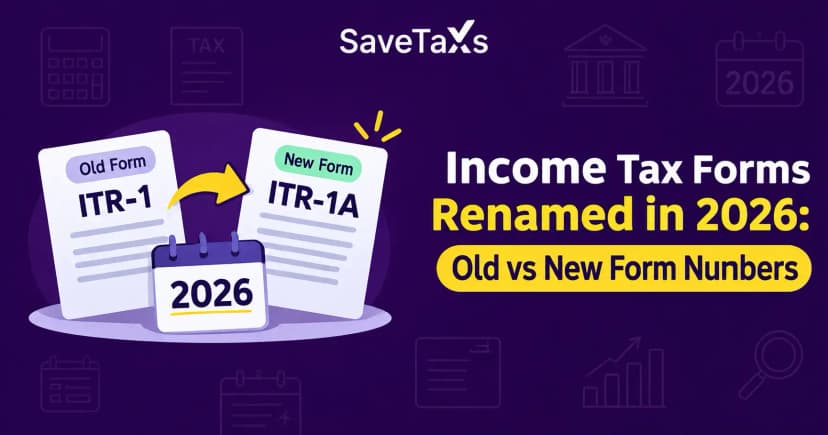
Income Tax Forms Renamed in 2026: Old vs New Form NumbersIncome Tax Forms Renamed in 2026: Old vs New Form Numbers
Written by Vipul Jain

_1779799994263.webp&w=3840&q=75)
The Taxpayer Information Summary (TIS) is your category-wise summary of all financial transactions reported against your PAN during a financial year. Think of it as a simplified dashboard that shows everything the Income Tax Department knows about your income—before you file your return.
In the TIS, all transactions from your Annual Information Statement (AIS) are grouped under clear categories like salary, interest, dividends, and capital gains. This summary is what the tax portal uses to auto-fill your Income Tax Return (ITR), making filing faster and more accurate.
If you're confused about what TIS actually is, how it differs from AIS, or how to download it, this guide will walk you through everything in simple, human language.
TIS gives you a clean, category-wise view of all financial data linked to your PAN, pulled from AIS, to make ITR filing simpler
It eliminates duplicate entries from multiple sources and reflects your feedback on data accuracy
TIS auto-populates your ITR, so you don't have to manually enter every income figure
To download TIS PDF: Log in to incometax.gov.in → Services → Annual Information Statement (AIS) → Proceed → AIS tab → Taxpayer Information Statement → Download PDF
TIS PDF password: Your PAN in lowercase + Date of Birth in DDMMYYYY format (e.g., abcde1234f15031982)
The Taxpayer Information Summary (TIS) is a summarized, category-wise view of all your financial transactions reported against your PAN (or Form 60/61 if you don't have PAN) during a financial year. The Income Tax Department creates it by removing duplicate entries from multiple sources and grouping similar information under categories like:
Salary
Interest
Dividends
Capital gains
Rent
And more
Here's what makes TIS special:
Two Values You'll See:
Value Processed by System: The department's system calculates this after removing duplicates from multiple sources (banks, employers, mutual funds, etc.)
Value Accepted by Taxpayer: This is the derived value—what the system shows after considering your feedback on AIS. This derived value is what pre-fills your ITR.
Think of TIS as your pre-checked income summary. The department uses it to auto-populate your return, but you can still change the figures if needed.
When you open your TIS, here's what you'll find for each category:
| Detail | What It Means |
|---|---|
| Information Category | Broad category grouping similar transactions (e.g., "Salary Income") |
| Value Processed by System | Amount the system calculated after deduplication |
| Value Accepted by Taxpayer | Final amount after your feedback (this fills your ITR) |
| Part Through Which Received | Source type: TDS/TCS, SFT, tax payment, etc. |
| Information Description | Nature of transaction (e.g., "Interest from FD") |
| Information Source | Who reported it (bank, employer, mutual fund, etc.) |
| Amount Description | Amount paid or credited |
| Reported Value | What the source (bank/employer) reported |
| Processed Value | System-calculated value after deduplication |
| Derived Value | Final value after your feedback (used in ITR) |
Your TIS includes a wide range of income and transaction categories. Here's what you'll typically see:
Salary income from Indian employers
Interest income from savings accounts and fixed deposits
Dividend income from stocks and mutual funds
Capital gains from mutual fund redemptions and stock sales
Rent received from Indian property
Foreign remittances received into Indian bank accounts
Sale proceeds from immovable property in India
TDS deducted by banks, employers, tenants, and fund houses
Advance tax and self-assessment tax payments made
Transactions reported under Form 60 and Form 61 (when PAN wasn't provided)
The TIS organizes information into these 6 official categories:
TDS/TCS information (Tax Deducted/Collected at Source)
SFT information (Specified Financial Transactions)
Tax payment information
Tax demand and refund information
Pending proceedings information
Completed proceedings information
Each category shows both what was reported by financial institutions AND what you declared in your ITR (if filed). If there's a difference, TIS clearly highlights it.
Many people confuse AIS and TIS. Here's the clear difference:
| Parameter | Annual Information Statement (AIS) | Taxpayer Information Summary (TIS) |
|---|---|---|
| What It Shows | All detailed transactions reported against your PAN | Clean, category-wise summary of reported income |
| Level of Detail | Transaction-wise (raw data) | Aggregated and summarized |
| Main Purpose | Review raw data and submit feedback | Auto-fill ITR and cross-check income totals |
| Format | Detailed and long | Compact and easy to read |
| Feedback Option | Yes—you can dispute individual entries | No direct feedback (disputes go through AIS) |
| Best Used For | Spotting specific errors in reported data | Verifying total income before filing ITR |
Use AIS to check and correct individual entries
Use TIS to verify your overall income picture before filing
The flow works like this:
Form 26AS → AIS → TIS → Pre-filled ITR
Important: If Form 26AS and AIS values differ, always use Form 26AS value. You can verify 26AS against salary slips, bank statements, and sale/purchase invoices.
Follow these 5 simple steps:
Step 1: Log in to the income tax e-filing portal (incometax.gov.in)
Step 2: Under the "Services" tab, click on "Annual Information Statement (AIS)"
Step 3: Click "Proceed" and then click the "AIS" tab
Step 4: Click on "Taxpayer Information Statement (TIS)" on the next page
Step 5: Your PDF will download (it's password-protected)
The TIS PDF is password-protected for security. Here's how to unlock it:
For Individuals:
Password format: PAN (lowercase) + Date of Birth (DDMMYYYY)
Example:
PAN: ABCDE1234F
Date of Birth: 15 March 1982
Password: abcde1234f15031982
For Non-Individuals (companies, firms, etc.):
Password format: PAN (lowercase) + Date of Incorporation/Formation (DDMMYYYY)
Reviewing your TIS before filing isn't optional—it's essential. Here's why:
The tax portal uses TIS data to fill your return automatically. If TIS has incorrect figures and you file without checking, your return will have errors. This can trigger a mismatch notice from the Income Tax Department later.
Banks, mutual funds, or employers might report income against your PAN that you forgot about. TIS shows it all, so you can account for every rupee before filing.
The department automatically cross-references your filed income against TIS. If there's a major gap between what TIS shows and what you declare, you could get a tax notice unless you correct it before filing.
TDS is deducted on many income types (capital gains, rent, interest). TIS reflects all TDS deducted from your PAN. When filing, ensure you claim all TDS credits so you don't leave refund money behind.
If you're an NRI claiming tax exemption under a Double Taxation Avoidance Agreement (DTAA), TIS shows income reported against your PAN. This helps you identify which income is covered by the treaty and claim exemptions precisely.
If you're an NRI filing Indian ITR, use this checklist:
Log in to incometax.gov.in using your PAN
Go to Services → AIS → Access TIS
Review all income categories against your actual income
Check TDS figures against your TDS certificates and Form 26AS
Verify capital gains against your fund house or broker statements
Check for foreign remittances incorrectly shown as income
Submit AIS feedback if you find incorrect entries (before filing)
Download TIS PDF and open with applicable password
Use TIS figures to cross-check your ITR before final submission
Consult a CA if any category shows unfamiliar or unexplained income
| Mistake | What to Do Instead |
|---|---|
| Filing ITR without checking TIS | Review TIS first to catch errors |
| Ignoring mismatch between 26AS and AIS | Use 26AS value when they differ |
| Not submitting AIS feedback | Correct errors in AIS before TIS updates |
| Assuming auto-filled ITR is always correct | Cross-check with TIS and your documents |
| Missing TDS credits | Claim all TDS shown in TIS |
The Taxpayer Information Summary (TIS) is one of the most useful tools for filing accurate Income Tax Returns. It gives you a clear, category-wise snapshot of everything the Income Tax Department knows about your income before you file.
Reviewing your TIS before filing helps you:
Avoid mistakes and mismatch notices
Catch incorrect entries early
Claim the right TDS credits
Support DTAA exemption claims with accurate data
Log in to incometax.gov.in
Go to AIS section
Open TIS
Review each category
Raise feedback in AIS for any errors
File your return with confidence
If you're unsure about your TIS figures, need help with ITR filing, or want expert guidance on tax compliance, connect with Savetaxs. Our tax experts help you:
Determine your Residential Status under Section 6
Compute your Indian-source income accurately
Apply DTAA benefits correctly
File the right ITR form
Manage TDS refunds efficiently
Connect with Savetaxs today—we serve taxpayers 24/7 across all time zones with expert tax guidance.
This article is for general informational purposes only and does not constitute tax, legal, financial, or investment advice. Laws, regulations, rates, and procedures may change over time and may vary based on individual circumstances.
While SaveTaxs makes reasonable efforts to keep the information accurate and up to date, readers should verify applicable rules with official authorities or consult a qualified professional before making decisions based on this information.
Vipul Jain is the Co-Founder of SaveTaxs and a tax expert with experience in Indian and NRI taxation. He advises individuals, NRIs, and businesses on tax filing, tax planning, capital gains, DTAA, and compliance matters. He focuses on making complex tax concepts simple and helping taxpayers make informed, compliant decisions. See Full Bio
Want to read more? Explore Blogs