NRI Income Tax Compliance
How to Claim Excess TDS Refund After Selling Property in India as an NRIHow to Claim Excess TDS Refund After Selling Property in India as an NRI
Written by Shubham Jain

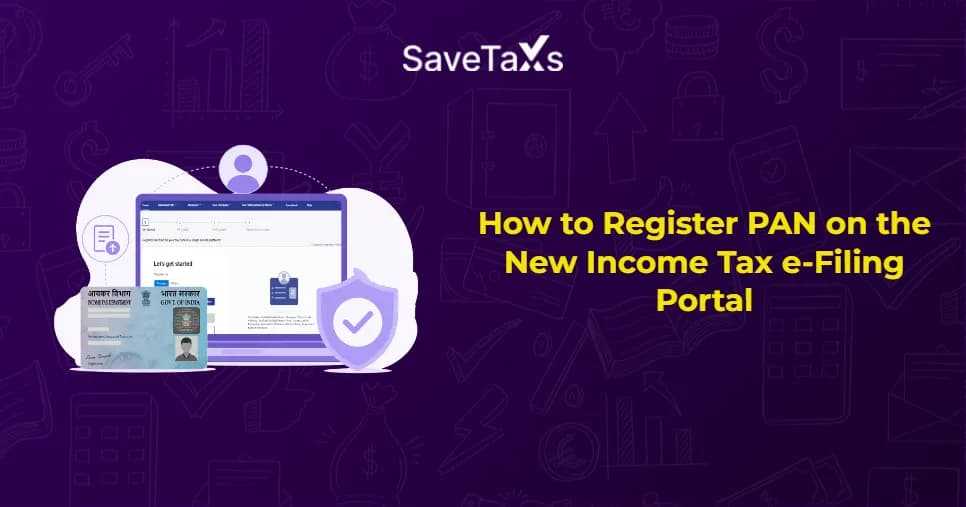
The NRI PAN registration can be done through the income tax portal. The PAN registration process takes less than 10 minutes if you have everything prepared beforehand. You will need an active email ID, mobile number, Aadhaar, PAN card, and pre-validated NRO bank accounts. However, NRIs without an Aadhaar card can still register on the portal. They just need to select their residential status as 'Non-Resident' during registration.
Moreover, do you know that without PAN registration, you may be prohibited from doing several activities? Keep reading to learn which activities you cannot do without registering, and the process for registering a PAN in the income tax e-filing portal.
Holding a PAN card and registering it on the e-filing portal are two different things. Having a PAN card means you have a permanent account number issued by the Income Tax Department. Conversely, registering on the e-filing portal means creating a login account linked to that PAN. It gives you access to file returns, track refunds, and handle your tax profile online.
Without registering the PAN on the portal, you are not allowed to:
For NRIs living abroad, the e-filing portal is the only useful way to manage Indian tax obligations without traveling all the way to India.
Before moving further with the registration process, there are a few things that you must keep ready. Let's see what all things you must keep handy before moving starting the registration process.
Connect with Savetaxs and manage your tax obligations easily from start to finish
Keep the following checklist ready before proceeding with the income tax e-filing portal registration:
Remember that NRIs without an Aadhaar card can also register on the portal. Ensure to select your residential status as non-resident during registration. It is not mandatory to have an Aadhaar for NRI registration. However, if you hold one, you must link both PAN and Aadhaar.
Moving further, let's now learn how to register PAN on the income tax portal.
Follow the steps below to register PAN on the income tax e-filing portal:
Moreover, when you log in for the first time, go to my profile → my bank accounts. Add your NRO account details and complete the pre-validation. Completing this step is important to receive any TDS refund directly into your Indian bank account.
Even though the registration process is straightforward, you may encounter some issues. Let's discuss some common issues you may encounter when registering for a PAN on the portal.
The table below lists the common issues/errors an individual may face during registration, along with the cause and solution:
| Error/Issue | Cause | Solution |
|---|---|---|
| PAN already registered | Your PAN is already registered on the portal | Use the forgot password option to recover your existing account |
| Details don't match the PAN records | The provided information, like name and birth date are different from the PAN card | Ensure to enter details exactly as per your PAN card. |
| OTP not received on a foreign number | There may be an issue with the network or portal with international numbers | Contact the helpdesk and seek assistance |
| Aadhaar validation failed | PAN and Aadhaar are not linked, or there may be a discrepancy | NRIs without an Aadhaar can skip this option by selecting their residential status as 'Non-Resident.' |
| Session timeout during registration | Page left idle for too long | You can start the process again. No data will be saved if the session expires |
| Mobile number already in use | The same number is used to register another PAN | Try using a different active number or contact the income tax helpdesk |
If the issue persists, use the e-filing portal helpdesk at 1800-103-0205 (toll-free from India) or email [email protected] for assistance.
Respond to tax notices, file ITR on time, fix refund delays, and avoid penalties with Savetaxs
For any NRI managing Indian tax obligations from abroad, registering PAN on the income tax e-filing portal is crucial. Without it, you will not be able to claim TDS refunds, file your ITR, download tax documents, or access DTAA benefits online. NRIs can register their PAN on the income tax e-filing portal easily. If you are expecting a tax refund, ensure that an eligible bank account is added and validated on the portal so that refunds can be credited smoothly.
Moreover, as an NRI, if you wish to register a PAN and are seeking assistance for the same, Savetaxs is the ideal choice for you. At Savetaxs, we have an entire team of professionals who can assist you with the PAN registration process by handling everything online. Our team can even help with new PAN card applications, PAN card updation, and also Aadhaar-PAN linking.
Connect with us right away and ensure the process is easy and compliant, while avoiding any delays.
This article is for general informational purposes only and does not constitute tax, legal, financial, or investment advice. Laws, regulations, rates, and procedures may change over time and may vary based on individual circumstances.
While SaveTaxs makes reasonable efforts to keep the information accurate and up to date, readers should verify applicable rules with official authorities or consult a qualified professional before making decisions based on this information.
Vipul Jain is the Co-Founder of SaveTaxs and a tax expert with experience in Indian and NRI taxation. He advises individuals, NRIs, and businesses on tax filing, tax planning, capital gains, DTAA, and compliance matters. He focuses on making complex tax concepts simple and helping taxpayers make informed, compliant decisions. See Full Bio
Want to read more? Explore Blogs