NRI Income Tax Compliance
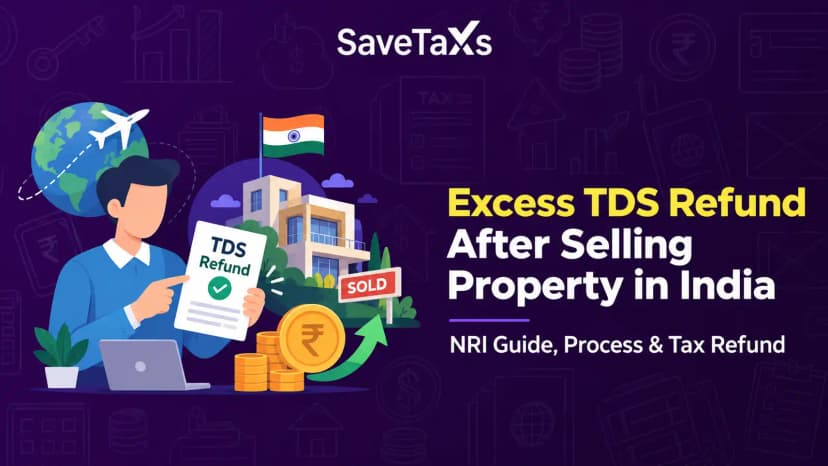
How to Claim Excess TDS Refund After Selling Property in India as an NRIHow to Claim Excess TDS Refund After Selling Property in India as an NRI
Written by Shubham Jain

_1784884591623.webp&w=3840&q=75)
Taxpayers who need to settle advance tax, self-assessment tax, demand payments, or various direct taxes can use the e-Pay Tax facility available online through the Income Tax Department's platform.
This service is particularly beneficial for taxpayers who realize they have additional tax dues while filing their Income Tax Return (ITR), even after accounting for TDS and other credits. Taxpayers can choose from five different payment options based on their preferences. In this blog, we will learn more about these five payment modes that you can use to pay income tax online.
The e-Pay Tax facility is an electronic payment service provided on the Income Tax e-Filing portal. It allows taxpayers to pay their direct taxes online. Taxpayers can make the payments by verifying their PAN or TAN through a one-time password sent to their registered mobile number. This avoids the need to log in to the portal.
Registered users can access this option after logging into the portal, where they can also check their payment history and download challan receipts immediately after the transaction.
Regardless of whether the taxes are paid under the Income Tax Act, 1961 or the Income Tax Act, 2025, the processes and payment methods remain the same.
To start the payment process, visit the e-filing portal and find the e-pay tax section. Users who are logged in can find this option under the e-File menu, while others can go directly to the e-Pay Tax section on the homepage.
After that, choose the relevant tax category, select the applicable assessment year or tax year, fill in the necessary tax information, input the tax amount according to the specified heads, and select a preferred payment mode. You get five payment modes on the portal.
The portal offers five payment modes to pay income tax online, which are:
This option is available via authorized banks that support tax payments on the portal. Taxpayers will be redirected to their bank's internet banking site to complete the transactions after confirming the challan details.
A challan receipt is generated once the payment is successfully made, and it can be accessed under the payment history section.
Taxpayers with debit cards from participating banks can directly pay their taxes. After verifying the payment details, users must enter their card information and OTP on the bank's payment page. The details and challan receipt will be available upon successful payment.
Taxpayers can also use RTGS or NEFT to pay taxes through any bank. After generating a mandate form on the portal, they can either visit a bank branch or transfer the funds via internet banking by adding the beneficiary details specified in the mandate form. Upon successful processing, the payment will reflect on the e-filing portal.
For those preferring an offline payment option, a challan can be generated online and then paid at a designated authorized bank branch using cash, cheque, or demand draft.
After submitting the necessary payment details on the portal, taxpayers need to print the generated challan and go to the selected bank to make the payment. Note that cash payments over ₹10,000 are not permitted with this option, and there are no transaction fees for tax payments made this way.
This payment mode offers various digital payment methods, including credit cards, debit cards, UPI, and net banking. After verifying the tax details, taxpayers are redirected to the chosen payment gateway to complete the transaction.
Please note that transaction fees and applicable GST may apply, and the total amount may vary based on the selected payment gateway or bank.
Stay compliant with your NRI Tax Obligations with the help of Savetaxs expertise.
Paying income tax online has become extremely easy with the e-pay tax facility. The Income Tax portal offers a flexible and secure payment experience for you to pay income tax, regardless of whether you prefer net banking, UPI, debit card, or even an offline bank counter.
The main thing here is to calculate your income tax liability accurately before you make the payment. Further, if you are not sure about how much tax you owe, connect with an expert at Savetaxs right away. Our experts are actively working 24/7 to help you calculate, file, and pay your taxes accurately and on time. Contact us today.
This article is for general informational purposes only and does not constitute tax, legal, financial, or investment advice. Laws, regulations, rates, and procedures may change over time and may vary based on individual circumstances.
While SaveTaxs makes reasonable efforts to keep the information accurate and up to date, readers should verify applicable rules with official authorities or consult a qualified professional before making decisions based on this information.
Vipul Jain is the Co-Founder of SaveTaxs and a tax expert with experience in Indian and NRI taxation. He advises individuals, NRIs, and businesses on tax filing, tax planning, capital gains, DTAA, and compliance matters. He focuses on making complex tax concepts simple and helping taxpayers make informed, compliant decisions. See Full Bio
Want to read more? Explore Blogs