NRI Income Tax Compliance
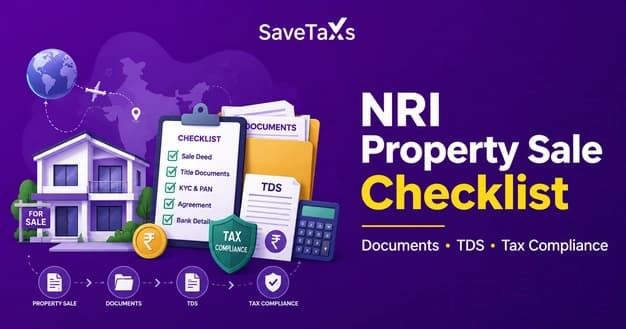
NRI Property Sale Checklist: Documents, TDS & Tax ComplianceNRI Property Sale Checklist: Documents, TDS & Tax Compliance
Written by Shubham Jain

_1780315211167.webp&w=3840&q=75)
After you have filed your ITR, the Income Tax Department processes the return and sends you an intimation under Section 143(1) of the Income Tax Act. The initiation is sent to inform you that your return has been successfully processed, and whether or not you owe any taxes or a tax refund. If, while processing your ITR, the income tax department finds any discrepancy or suspicion of misrepresentation of income or tax evasion, it may issue you a notice. Likewise, various types of notices are issued to taxpayers for different purposes.
And such notices are protected by the income tax PDF password. Now, quite a lot of people don't know the input password or how to decode the PDF, and find it difficult to open the notice. Hence, in this blog, we will help you understand how to open and access your income tax notice PDF.
For the taxpayer, the password to open any income tax notice on their device is the same. You have to enter your PAN number in lower case, followed by your DOB in DDMMYYYY format. Please ensure the date of birth matches the one mentioned on your PAN card. These notices are issued by the Income Tax Department in encrypted PDF format, and the ITR Notice PDF is password-protected to protect sensitive and confidential information.
Let us understand the password format through an example.
| Individuals | Companies, LLPs and Other Entities |
|---|---|
|
PAN: ABCDE1234H DOB: 06/12/1996 Password: abcde1234h06121996 |
PAN: AABCT1234K Date of Incorporation: 15 January 2018 Password: aabct1234k15012018 |
The following are the circumstances under which you can receive an income tax notice.
Discrepancies in ITR: If the income tax return you have filed contains inconsistencies or errors, the tax department might send you a notice requesting clarification or additional details.
Non-Filing or Delayed Filing: Another reason to receive an income tax notice could be if you fail to file your ITR on time. In such cases, the income tax department might issue you a notice urging you to comply with the tax filing requirements in a timely manner.
Scrutiny or Detailed Examination: It can happen that the Income Tax Department selects your return for scrutiny to ensure accuracy and 100% compliance. So, if your return is selected for detailed scrutiny, the department might issue a notice requesting that you provide supporting documents.
Outstanding Tax Payments: If you have unpaid tax liabilities, the tax department may issue a notice urging you to settle all due taxes, penalties, or fees.
Defective Return: A notice under Section 139(9) of the Income-tax Act is issued when the assessing officer finds defects in your return.
Information Mismatch: If the tax authorities find any discrepancy between the tax department's records and your filed return, you might be served with notices seeking clarification on the discrepancy.
Suspected Fraud or Income Misreporting: If the income tax department suspects income misreporting or fraud while processing your return, they will issue a notice immediately.
Since the information contained in the notices is the taxpayer's confidential information, these notices are issued for and therefore encrypted and protected by an ITR filing notice password. The following are the differences between the notices a taxpayer can receive and what each notice means.
Intimation Notice Under Section 143(1): This notice is a formal announcement to the taxpayer that his/her income tax return has been processed, and whether they owe any additional tax liability or are eligible for a refund.
Notice Under Section 142(1): A notice under this section is issued as an official inquiry by the assessing officer to request the filing of an unfiled income tax return (ITR) or to request specific records, documents, or written clarification to verify the ITR.
Notice Under Section 143(2): The notice under section 143(2) is sent to you if your ITR is selected for a detailed scrutiny or examination.
Notice Under Section 156: As a taxpayer, if any tax, fee, or penalty is due, you will be served with an income tax notice under Section 156.
Notice under section 245: A notice under this section is issued if the assessing officer believes there is an outstanding tax demand from previous years.
Notice under section 148: The notice under section 148 is issued by the tax authorities when they believe the taxpayer has either reported a low income or has not reported any income at all while filing their ITR.
Notice under section 131(1A): Such a notice is issued when the tax authorities believe that the taxpayer is concealing some income or a part of the income; the taxpayer can then be served with a notice.
Savetaxs provides expert guidance and fulfills your tax obligation on time with complete accuracy.
As a taxpayer, when you download the tax-related PDF, such as income tax notices, receipts from the income tax department, or ITR-V acknowledgment, you will see that some of these fields are protected by a password for security reasons. This is done to ensure that your sensitive financial information remains protected and confidential, and that only the authorized person can access the information.
The password format for opening any income tax return PDF or the ITR release notice is fixed. Which is:
Please note that the password format is consistent for all users when accessing password-protected tax PDFs.
To begin with, download the password-protected PDF form from the Income Tax e-filing portal.
After you have downloaded the file.
Connect with Savetaxs for expert NRI assistance with ITR filing, refund claims, and tax compliance.
Income tax notices are just an official means of communication between the tax authorities and the taxpayer; they do not directly mean that you have done something wrong and are being penalized for it. Whether you received an intimation notice, an unpaid tax demand notice, or a scrutiny notice, each document is sent to you in a password-protected PDF. And opening the income tax PDF and the related notices file is quite easy as long as you know the correct password format. Just keep your PAN number handy to unlock the PDF.
Ensure you don't ignore the tax notice, even if it seems minor. As an NRI, if you are considering how to respond appropriately to an income tax notice and seeking professional assistance, Savetaxs is the name to trust. The expert here analyzes the notice you have received, reconciles the related data, drafts and submits the response. The expert will ensure that the response they prepare is clear, comprehensive, legally sound, and 100% compliant. Savetaxs maintains seamless client communications and strictly monitors the response deadlines and more.
Connect with us as we serve our clients 24/7 across all time zones.
This article is for general informational purposes only and does not constitute tax, legal, financial, or investment advice. Laws, regulations, rates, and procedures may change over time and may vary based on individual circumstances.
While SaveTaxs makes reasonable efforts to keep the information accurate and up to date, readers should verify applicable rules with official authorities or consult a qualified professional before making decisions based on this information.
Vipul Jain is the Co-Founder of SaveTaxs and a tax expert with experience in Indian and NRI taxation. He advises individuals, NRIs, and businesses on tax filing, tax planning, capital gains, DTAA, and compliance matters. He focuses on making complex tax concepts simple and helping taxpayers make informed, compliant decisions. See Full Bio
Want to read more? Explore Blogs