NRI Income Tax Compliance
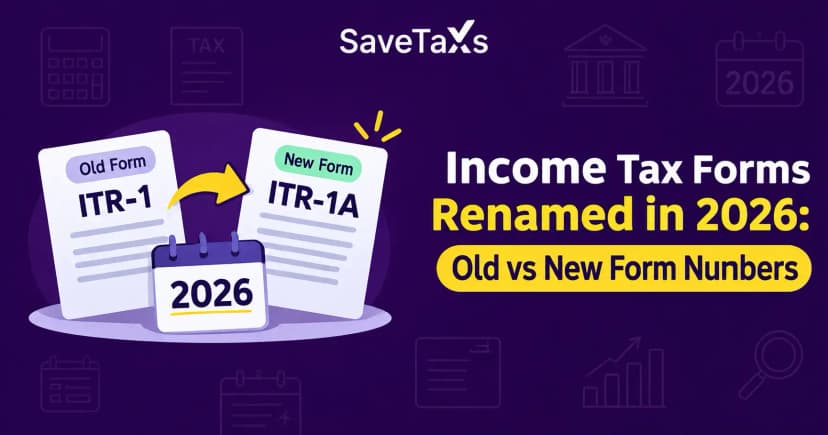
Income Tax Forms Renamed in 2026: Old vs New Form NumbersIncome Tax Forms Renamed in 2026: Old vs New Form Numbers
Written by Vipul Jain

_1779282002219.webp&w=3840&q=75)
Have you filed your Indian Income Tax Return (ITR) while living abroad and are waiting for your refund? You can check your refund status online without travelling to India. The Income Tax Department’s e-filing portal lets taxpayers review filed returns and see the available refund information.
However, filing and verifying your return does not mean your refund has already been approved or credited to your bank account. You need to check the status for the correct Assessment Year (AY) and determine whether any further action is required.
This guide explains how NRIs can check their Indian income tax refund status online, understand common status messages and identify the appropriate next step.
The portal steps are the same for resident and non-resident taxpayers: log in, open e-File → Income Tax Returns → View Filed Returns and select the Assessment Year. This guide focuses on what is different for NRIs. For the full step-by-step walkthrough and an explanation of every status, see how to track your income tax refund after filing your ITR.
If you live abroad and cannot access the mobile number or email registered to your e-filing account, follow the portal's official instructions to recover access before checking your status.
Savetaxs provides expert assistance to NRIs in resolving income tax refund delays, failed refunds, and refund-related queries.
The exact wording shown on the portal may vary. Use the status displayed for your return to identify the appropriate next step.
| Status or situation | What it means | What you should do |
|---|---|---|
| Return successfully e-verified | Your return has been verified, but processing may still be pending. | Check the processing status and any pending action. |
| Return under processing | The department is processing your return. | Monitor the portal and registered email for updates. |
| Refund issued | The department has initiated or issued the refund according to the status shown. | Review the available payment details and your bank statement. |
| Refund adjusted against a demand | The refund may have been used to settle an outstanding tax demand. | Read the adjustment intimation and respond if required. |
| Refund failed | The payment could not be completed successfully. | Check the stated reason and follow the refund-reissue process if available. |
| Refund processed but not received | Processing is complete, but you cannot locate the credit in your account. | Check the payment information and contact your bank or the department if necessary. |
If you have an unpaid tax demand from an earlier year, the department can adjust your refund against it under Section 245 of the Income-tax Act, 1961. Before doing so, it is required to send you an intimation giving you a chance to respond. Check your e-filing portal inbox and registered email for this notice.
If you agree with the demand, the adjustment stands and any remaining refund is paid to you. If you disagree, submit your response on the portal within the time given.
If your refund is paid late, you may be entitled to interest under Section 244A, generally at 0.5% per month or part of a month. The interest you receive is taxable, so report it in your return for that year.
You can also check basic refund status without logging in to the e-filing portal, through the Protean (formerly NSDL) refund status page, using your PAN and Assessment Year.
Important: Do not assume that “Return Processed” means the refund has been credited. Return processing and refund payment are separate stages.
There is no single guaranteed refund-credit date for every taxpayer. The timing can depend on successful e-verification, return processing, departmental checks, discrepancies and bank-account validation.
The Income Tax Department’s general guidance indicates that refunds often take around four to five weeks, but individual cases can take longer. Treat this as an indicative timeline, not a guaranteed deadline.
If your refund has not arrived, check whether:
Avoid submitting duplicate requests while the original return is still being processed.
If your refund has not arrived, identify the current status before assuming that the payment has failed.
Check the return details and review communications sent to your registered email address. If the department has requested action, follow the instructions within the applicable time limit. If no action is pending, continue monitoring the status.
Read the adjustment details and the related intimation carefully. If you disagree with the demand, follow the response or dispute procedure applicable to your case. An adjustment against an outstanding demand is different from an ordinary refund delay.
Review the status, return details and departmental communications. If the portal does not explain the delay, contact the department through its official support or grievance channels.
For more detailed troubleshooting, read our guide to income tax refund delays.
A failed refund requires a different response from a refund that is still being processed.
Review the bank account selected for the refund. Confirm that the account is active, the account number and IFSC are correct, and the account has completed the validation required by the e-filing portal.
The department’s guidance requires a valid, validated Indian bank account for refund credit. Do not assume that every NRO, NRE or other account type is eligible. Check the current portal requirements and the validation status of your particular account.
You can review your bank-account details through the portal’s bank-account service. For additional guidance, see the department’s My Bank Account User Manual.
If the portal shows that your refund payment failed, you will need to correct the bank-account issue and request a reissue. The full procedure is in our guide on how to request an income tax refund reissue.
Suppose you live in Canada and filed an Indian ITR claiming a refund of excess tax deducted at source (TDS) from rental income in India.
The return has been processed, but the refund has not reached your bank account. Instead of filing another return, first check the refund status and review the bank account selected for payment.
If the portal reports a failed payment, identify the reason and follow the refund-reissue process if eligible. If the payment was issued, check the available payment details and contact your bank or the department if the credit cannot be traced.
Savetaxs provides CA-approved investment strategies tailored to your financial planning and liquidity goals.
NRIs can check their Indian income tax refund status online without travelling to India. The essential steps are to select the correct Assessment Year, understand the status displayed and act only when the department’s instructions require it.
If your refund is delayed, adjusted or unsuccessful, identify the specific issue before proceeding. This can help you avoid duplicate requests and choose the appropriate next step.
Need help understanding your Indian income tax refund requirements? SaveTaxs can help NRIs navigate relevant Indian tax filing and refund-related questions.
This article is for general informational purposes only and does not constitute tax, legal, financial, or investment advice. Laws, regulations, rates, and procedures may change over time and may vary based on individual circumstances.
While SaveTaxs makes reasonable efforts to keep the information accurate and up to date, readers should verify applicable rules with official authorities or consult a qualified professional before making decisions based on this information.
Vipul Jain is the Co-Founder of SaveTaxs and a tax expert with experience in Indian and NRI taxation. He advises individuals, NRIs, and businesses on tax filing, tax planning, capital gains, DTAA, and compliance matters. He focuses on making complex tax concepts simple and helping taxpayers make informed, compliant decisions. See Full Bio
Want to read more? Explore Blogs