NRI Income Tax Compliance
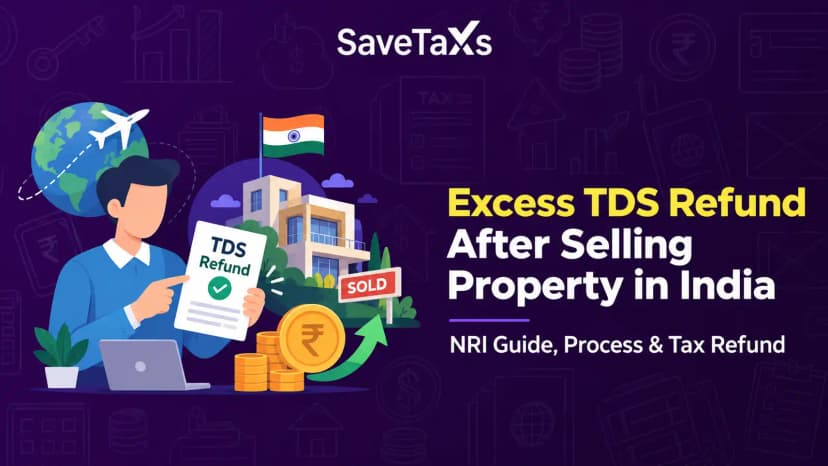
How to Claim Excess TDS Refund After Selling Property in India as an NRIHow to Claim Excess TDS Refund After Selling Property in India as an NRI
Written by Shubham Jain
You can make a request for a refund reissue when your income tax refund was processed but didn't reach you. It can typically happen due to incorrect account details, an inactive bank account, or bank validation issues. The refund reissue process can be completed online easily once you have a pre-validated bank account and a correctly linked PAN on the e-filing portal. Upon successful submission, the refund reissue is generally processed within a few weeks, subject to CPC processing cycles and bank validation timelines. However, this timeline may vary based on CPC processing cycle or during peak seasons.
Moreover, you can stay updated about the refund reissue status by tracking the status on the income tax e-filing portal or through the NSDL portal. However, do you know what happens if your reissue request fails? Keep reading further to know how to submit a request for a refund reissue, what to do if the reissue request fails, the timeline, and much more.
When your income tax refund was processed, but it did not reach your account, that is when you need to raise a refund reissue request. This may happen due to various reasons; some common situations are as follows:
The Income Tax Department may mark the refund status as 'Refund Failed' in all these situations. Hence, rectifying the bank account details and submitting a fresh reissue request is the only way to get the refund money.
*Note: If the refund status shows 'Refund Issued' or 'Under Processing', you cannot raise a reissue request. You can only use the reissue option on the portal after a failed refund gets confirmed.
Fulfill your tax obligations on time and avoid any penalties with our financial experts
Ensure that your bank account is pre-validated, as the refund will be issued to a pre-validated bank account only. In case the refund fails, you can raise a reissue request on the e-filing portal entirely online by following the steps below:
Visit the official income tax portal and log in to your account using your PAN and password.
Before you submit the reissue request, make sure that the bank account you choose to recieve the refund is pre-validated. If not, the request for a refund reissue will not be processed. Here is how you can pre-validate your bank account:
After your account is validated, you can proceed to submit the reissue request.
On the dashboard, go to the 'Services' in the top menu. Choose the 'Refund reissue' option. Now, the portal will display a list of assessment years. You need to choose the relevant year for which you wish to request a refund reissue.
Select the pre-validated bank account and review the details carefully before confirming. Then, click on 'Proceed to verification.
You will need to verify the reissue request using one of the following methods:
The Aadhaar OTP is the simplest option for most individuals. Your reissue request will be submitted upon successful verification. You will see a success message on screen along with a transaction ID. Ensure to keep a note of the transaction ID for future reference.
**Tip: In case you hold multiple bank accounts linked to your PAN, select the one that is most active and where you regularly transact. Do not use an account that might become inactive before or during the refund processing.
For NRIs, ensure that your NRO account is active and pre-validated. In case you returned to India recently and changed your residential status, check:
Also, ensure that your registered mobile number on the portal is active to receive OTPs. Once your request for a refund reissue is submitted, you can check the refund reissue status online.
After submitting the reissue request, you can monitor the refund reissue status directly on the income tax portal. You can use either of the two methods below to check the ITR refund reissue status:
To get a more specific update on whether the ECS (Electronic Clearing Service) transfer has been initiated:
Once you submit the reissuance request successfully, the refund reissue is generally processed within a few weeks, though actual timelines may vary depending on CPC processing cycles and bank processing. However, this timeline is subject to CPC processing cycles. Moreover, during peak seasons like August - October, the processing time may take slightly longer.
In case the status doesn't change even after 30 working days, you can raise a grievance on the e-filing portal. Here are the steps for the same:
Additionally, you can also call the CPC helpline at 1800-103-4455 to get an update about the status. Ensure you keep your ITR and PAN Acknowledgment Number ready before calling.
If your second refund attempt fails, it usually happens due to persistent bank account validation issues. So, you can visit the portal again, recheck your pre-validated account details, and submit another reissue request. This must be done when the account is correctly validated.
Since there is no limit on the number of reissue requests you can raise, you can submit the request again. However, each request requires you to pre-validate the bank account properly and enable ECS at the time of submission.
Connect with Savetaxs and recieve tailored NRI tax assistance from the experts
In short, you can submit the refund reissue request in ITR easily if your bank account is pre-validated and linked correctly to your PAN. Most of the reissue requests are processed within 15-30 working days. However, it may vary sometimes based on the CPC processing cycles.
Moreover, for NRIs, the most common mistake for refund failure is providing inactive Indian bank account details or an outdated mobile number on the portal. It is important to consider and avoid these mistakes well before the ITR filing season to recieve the refund without any issue.
Additionally, if you are seeking Assistance with NRI tax obligations, ITR filing, or refund claims, Savetaxs is the name to trust. We have a team of expert professionals who can assist you at every stage, including ITR filing and if your ITR refund is delayed. Our team of experts can make tax compliance easier and more manageable for you.
Connect with us right away as we are working 24*7 across all time zones.
This article is for general informational purposes only and does not constitute tax, legal, financial, or investment advice. Laws, regulations, rates, and procedures may change over time and may vary based on individual circumstances.
While SaveTaxs makes reasonable efforts to keep the information accurate and up to date, readers should verify applicable rules with official authorities or consult a qualified professional before making decisions based on this information.
Vipul Jain is the Co-Founder of SaveTaxs and a tax expert with experience in Indian and NRI taxation. He advises individuals, NRIs, and businesses on tax filing, tax planning, capital gains, DTAA, and compliance matters. He focuses on making complex tax concepts simple and helping taxpayers make informed, compliant decisions. See Full Bio
Want to read more? Explore Blogs