


US Tax Forms
IRS Form 8962 for NRIs: Premium Tax Credit and APTCIRS Form 8962 for NRIs: Premium Tax Credit and APTC
Written by Shubham Jain
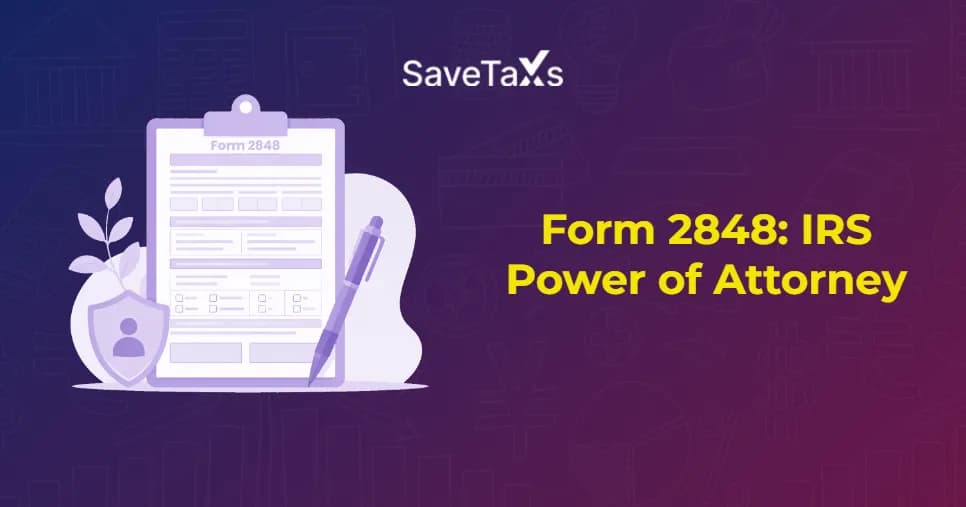
Managing tax matters with the IRS is complicated, and it becomes more difficult during audits, appeals, collections, or compliance reviews. In these situations, many taxpayers and non-resident aliens with US tax obligations choose to authorize a qualified professional to act and interact on their behalf. This is where IRS Form 2848 comes into play.
Form 2848 (Power of Attorney and Declaration of Representative) is an IRS form that gives authority to a qualified representative, such as a CPA, EA, or attorney, to act and communicate on your behalf on your tax matters.
Want to know more about IRS Form 2848? Then you are on the right page. This blog provides you with complete information about Form 2848, its purpose, who can use it, and a step-by-step guide on how to fill this form.
Form 2848, Power of Attorney and Declaration of Representative, is an IRS document that provides authority to a qualified individual or organization to communicate and act on your behalf to the IRS. It includes speaking with the IRS, signing certain documents, and negotiating outcomes for the specific tax matters and periods.
In simple words, Form 2848 is a document that allows an individual to give authority to a qualified professional such as a CPA, EA, or tax attorney to represent them before the IRS. By signing this form, the taxpayer provides permission to their representative to access their sensitive tax information and handle their tax matters on their behalf. It ensures that private tax details of the individual remain safe while allowing authorized representation.
This was all about IRS Form 2848. Moving ahead, let's know the purpose of this form.
You do not need to file IRS Form 2848 for every tax situation. However, filing this form can be beneficial whenever you want a qualified expert to handle tax matters with the IRS. Here are common situation includes:
| Situation | Purpose of Filing Form 2848 |
|---|---|
| IRS Audit | It allows an authorized representative to interact with the IRS and respond to audit-related requests. |
| Collection Actions | Enables negotiations with the IRS regarding tax payment arrangements, collection matters, and liabilities. |
| Business Tax Review | It allows tax professionals to manage communication with the IRS and respond to business tax inquiries. |
| Appeals Proceedings | Give authority to a qualified representative to act on behalf of the taxpayer during IRS appeals and dispute resolution processes. |
| Ongoing Tax Disputes | Provide constant authority to a representative to interact and negotiate with the IRS regarding active tax issues. |
| Estate Administration | Assist fiduciaries and authorize individuals to address estate-related tax matters and IRS correspondence. |
Without this authorization in place, generally the IRS won't discuss your case with anyone but you. This becomes a practical obstacle for NRIs who want to resolve a tax matter from a different time zone.
This is all about the purpose of IRS Form 2848. Moving further, let's know who should fill out this form.
Connect with Savetaxs and fulfill your US tax obligations with expert guidance by your side.
As mentioned earlier, filing Form 2848 is beneficial when you need active representation for your tax matters, not just for reviewing your IRS records. Considering this, it generally includes taxpayers who are:
Further, If you only want someone to access your tax information without representing you before the IRS, use Form 8821 instead. Unlike Form 2848, the appointee is not required to be a licensed tax professional.
This was all about who should file IRS Form 2848. Moving ahead, let's know how to fill out this form.
Here is a step-by-step guide to help you fill out IRS Form 2848:
Start filling out the form by providing details:
Next, mention the information of the representative you are giving authority to handle your tax matters.
In this section, you need to mention the taxes and forms you are providing your representative to handle.
If your power of attorney does not relate to a specific tax year or it is for a specific issue like private letter rulings or civil penalties, tick the box in line 4. This means it won't be recorded in the CAF system of the IRS. Considering this, if you tick this box, make sure to fax or mail the form to the IRS office that is handling your issue.
This is where you need to specifically mention what your tax representative will do on your behalf. Considering this, you can add or remove any actions from the general authority by mentioning them on this line.
In this line, you decide where the IRS sends all your official tax notices. Considering this:
Here is how you can do so:
Finally, your tax representative(s) should sign and date this part. Additionally, they will also mention their designation like EA, CPA, attorney, etc., and jurisdiction. Representatives should complete the designation and other required information according to the IRS instructions for their eligibility category.
Further, using these steps, taxpayers can properly fill out the Form 2848. Moving further, let's know how to submit IRS Form 2848.
After filling out the IRS Form 2848, you have three options to submit:
If you prefer submitting your IRS Form 2848 online, the process of doing so is straightforward. For this, you need to log into your Secure IRS account, securely upload the signed form, and answer the questions asked before submission. However, at a time, you are allowed to submit only one form. Considering this, if you need to submit multiple forms, you have to do it separately.
If you are not submitting your form online, you can opt for faxing. Based on your location, here is where you can send the form. Considering this, for most states, the fax address is: Fax Number: 855-214-7519, Internal Revenue Service, 5333 Getwell Road, Stop 8423, Memphis, TIN 38118.
If you opt for mailing your form, you can send it to the address mentioned. Internal Revenue Service, 5333 Getwell Road, Stop 8423, Memphis, TN 38118. However, under some circumstances, the Fax or mail in the US is sent to the following address:
This is how you can submit the IRS Form 2848. Moving forward, let's discuss how to revoke a power of attorney.
If, due to some circumstances, you want to change your representative to solve your tax matters or want to close out an old authorization, you can opt for revocation. For this:
On the other side, if your representative wants to withdraw, then they need to write "Withdraw" at the top of the form, sign and date it. Additionally, filing a new form revokes your previous authorization automatically as long as your prior agent's CAF is in the IRS. This is why the number assigned to your agent is vital.
Apart from this, if you are adding a new power of attorney and not revoking your older representative, then you should tick the box on line 6 on Form 2848. The following is stated in this, and you should also attach a photocopy of your previous Form 2848 with the new form.
This was all about revoking a power of attorney. Moving ahead, let's know the common mistakes to avoid when filing Form 2848.
Here are some common mistakes to avoid on Form 2848:
These are the common mistakes you should avoid while filing Form 2848. Let's understand this with an example.
For instance, Vikaram is a Delhi-based NRI who was notified of an IRS audit for his rental income and treaty-based tax deductions from a US property for a specific calendar year. It was quite difficult for him to manage this situation alone, as he was unfamiliar with the US tax system. Considering this, to handle his audit, he connected with his CPA in the US and plans to provide him with power of attorney to manage this issue.
To do so, he filled out Form 2848, specifically listing Form 1040-NR and the specific tax year mentioned in the audit. Along with it, he also mentioned the name of his CPA with his CAF number. Here, the scope was defined clearly; on his behalf, his CPA responded to document requests, attended calls with the IRS, and negotiated the audit resolution.
Further, once the audit was completed, his CPA wrote "Withdraw" at the top of the Form 2848, signed, dated it, and formally submitted it to his nearby authorization.
With Savetaxs, stay compliant with US tax laws and manage your financial process with confidence.
Lastly, IRS Form 2848 lets you authorize a qualified representative to handle specific tax matters on your behalf. It provides the tax representative with access to specific tax information and the capability to interact with the IRS for the issue you stated. To avoid delays, ensure Form 2848 is filled out correctly and that all the required signatures are included in it. When done correctly, Form 2848 can help you manage your tax matters simply.
Further, if you need any type of assistance for your US tax-related matters, connect with Savetaxs. We have a team of professional tax experts who help complete your taxes, fix mistakes, and explain what to do next. So contact us and resolve your tax issues with confidence.
This article is for general informational purposes only and does not constitute tax, legal, financial, or investment advice. Laws, regulations, rates, and procedures may change over time and may vary based on individual circumstances.
While SaveTaxs makes reasonable efforts to keep the information accurate and up to date, readers should verify applicable rules with official authorities or consult a qualified professional before making decisions based on this information.
Vipul Jain is the Co-Founder of SaveTaxs and a tax expert with experience in Indian and NRI taxation. He advises individuals, NRIs, and businesses on tax filing, tax planning, capital gains, DTAA, and compliance matters. He focuses on making complex tax concepts simple and helping taxpayers make informed, compliant decisions. See Full Bio

Want to read more? Explore Blogs
_1786539671275.webp&w=828&q=75)