


PAN Card
PAN Card Fraud: How Check For The Misuse, Report, and ProtectPAN Card Fraud: How Check For The Misuse, Report, and Protect
Written by Shubham Jain
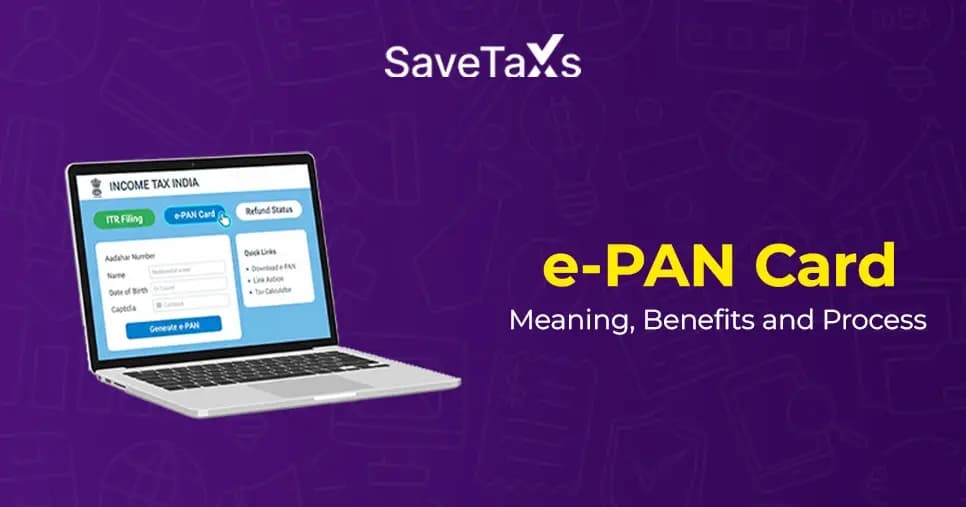
An e-PAN (electronic permanent account number) is a new initiative introduced by the Income Tax Department. It is a digital version of the traditional PAN card that serves the same purpose as a physical PAN card, like filing income tax returns, opening a bank account, and as a form of identity proof for various financial transactions.
It is a digitally signed, tamper-proof document issued in electronic format (PDF). An e-PAN can be obtained instantly by applying online using an Aadhaar card. If you are a company, LLP, or partnership firm, you are not eligible to apply for an e-PAN. In this blog, we will discuss what an e-PAN card is, who can apply for one, the required fees, and much more.
An e-PAN is a digitally signed, electronic version of the traditional PAN (Permanent Account Number) card issued by the Income Tax Department. It holds the same legal validity, serves the same purpose as a physical PAN card, and can be obtained for free. One key benefit of an e-PAN card is that it offers a swift and eco-friendly alternative to the physical card.
You can easily store an e-PAN card on a digital platform and use it for verification of tax-related transactions. However, it is vital to note that the e-PAN is only for individual taxpayers who don't already possess a PAN card.
It is a safe and convenient option that is widely accepted as a valid identity proof across various services. This digital format can be used for filing ITR (Income Tax Returns), conducting financial transactions, KYC verification, and using a digital backup.
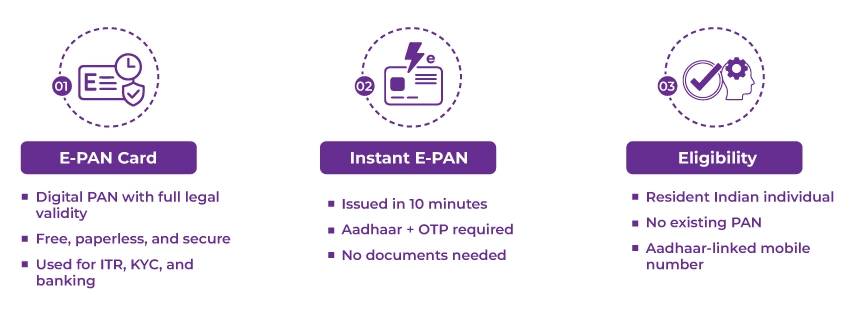
If you fulfill the following requirements, you can Apply for an e-PAN card:
An instant e-PAN card can be obtained instantly by an individual within 10 minutes, provided he/she have a valid Aadhaar number. If you don't have a PAN card, you can apply for an instant e-PAN card free of cost on the Income Tax website.
You don't need to fill out the PAN card application or submit any documents to get an instant e-PAN card. However, you will have to provide your Aadhaar number along with the OTP received at your Aadhaar-registered mobile number to obtain the instant e-PAN card.
The table below lists the differences between an e-PAN and an instant e-PAN:
| Basis of Comparison | e-PAN (regular) | Instant e-PAN |
|---|---|---|
| Eligibility | Residents, NRIs, foreign nationals, companies, etc., can apply for an e-PAN | Only individual taxpayers with an Aadhaar can apply for an instant e-PAN |
| Processing Time | Usually takes 3-15 working days | It is generated within minutes (if the Aadhaar details are validated) |
| Aadhaar Requirement | Aadhar may be required based on the type of applicant | Aadhaar is mandatory and must be linked with a mobile number |
| Physical PAN Card | You can request a physical PAN card | Only an e-PAN (digital copy) is issued initially |
| Application Fee | The applicable fee is charged | It is free of cost |
| Biometric Verification | Not required at the time of application | Aadhaar-based OTP verification is required |
| Ideal for | Applicants who need a physical PAN card or non-Aadhaar cases | Individuals who need a PAN urgently and who hold an Aadhaar card |
Hire a professional expert from our team to effortlessly secure your NRI PAN Card
You can apply for an e-PAN card through the NSDL or UTIIITSL website. Additionally, you can also apply for an instant e-PAN card through the Income Tax website. Let's understand both the options to apply for an e-PAN or an instant e-PAN:
Follow the steps below to apply for an e-PAN (electronic permanent account number) through the NSDL or UTIITSL website:
Follow the steps below to apply for an instant e-PAN easily through the income tax e-filing portal:
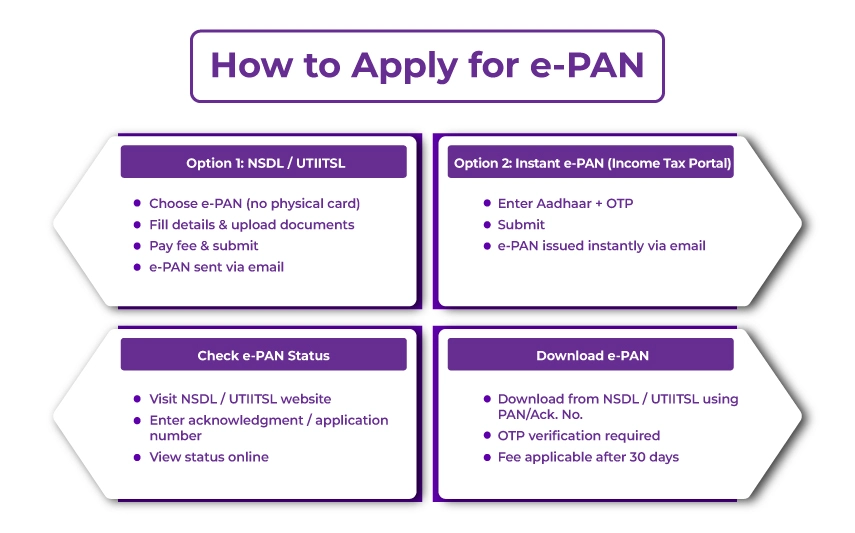
You can monitor your e-PAN card status online using your acknowledgment number or Aadhaar number, based on where you applied for the PAN card. Follow the steps below to check your e-PAN card application status:
To track instant e-PAN card status, visit the Income Tax e-filing portal and enter your Aadhaar and OTP to check real-time updates.
Once the e-PAN is processed and generated, you will receive it at your registered email address. However, if you are not able to find the email or have deleted it without saving the e-PAN card, you have the option to download the e-PAN card directly through the NSDL or UTIITSL website. Here is the e-PAN download process that you need to follow:
*A fee is applicable if you download the e-PAN after 30 days of its allotment.
In the case of an instant e-PAN card, you can download it from the Income Tax website by providing your Aadhaar number, OTP, and clicking on the "Download e-PAN" button.
Also, the application process for an e-PAN card for an NRI is the same as a resident Indian. However, there may be key differences in the form type, required documentation, and document submission methods.
The e-PAN card is password-protected. When you download the e-PAN, it will be provided as a secure PDF file, which will require a password to open and see the details.
The password for your e-PAN PDF is your date of birth in the following format: "DD/MM/YYYY". For example, if your date of birth is the 15th of June, 1998, the password will be 15061998.
Get round-the-clock global support for all your PAN card application needs.
You can request a re-print of the e-PAN card to get a printed copy of a physical copy of it. When you request the re-print of an e-PAN card, you receive the PAN card printed copy delivered to your residential address. Follow the steps below to apply for a re-print of the e-PAN card:
If you apply for an instant e-PAN through the Income Tax e-filing portal, no fees will be applicable. However, when you apply for an e-PAN card through the NSDL or UTIITSL website, you will have to pay a fee. The following table outlines the e-PAN card
| e-PAN dispatched to the email address | Fee (including taxes) |
|---|---|
| PAN application submitted at TIN facilitation centres /PAN centres or online via the physical mode of document submission. | Rs. 72 |
| PAN application submitted online using the paperless mode. | Rs. 66 |
*Point to Note: The fee for the e-PAN card application for NRI remains the same as for a resident, provided certain conditions are met.
An e-PAN card is a safe and convenient digital alternative to the traditional PAN card. You can obtain one for free, download it instantly, and use it for all the same purposes as a physical PAN card. It is considered legally valid and can be used a proof of identity, Income Tax Filing (ITR), conduct financial transactions, and much more. The process to apply for a new e-PAN, track e-PAN card status, and reprint your card can be done entirely online, making it a simpler and faster option.
Furthermore, the process can be streamlined even more with the help of an expert from Savetaxs. We have a team of experts carrying years of experience who can offer specialized assistance, mainly for NRI PAN card. We offer expert-assisted services designed to make the complex procedures easy and ensure accurate compliance. Reach out to us today and avoid the common pitfalls that could lead to rejections or delays.
This article is for general informational purposes only and does not constitute tax, legal, financial, or investment advice. Laws, regulations, rates, and procedures may change over time and may vary based on individual circumstances.
While SaveTaxs makes reasonable efforts to keep the information accurate and up to date, readers should verify applicable rules with official authorities or consult a qualified professional before making decisions based on this information.
Shubham Jain is the Founder of SaveTaxs and has extensive experience in Indian and NRI taxation. He advises individuals, NRIs, and businesses on tax filing, tax planning, capital gains, DTAA benefits, fund repatriation, and compliance matters. He regularly writes about taxation and related financial topics. His focus is on making complex tax concepts easy to understand. Through his articles, he helps taxpayers stay informed, avoid common mistakes, and stay compliant with Indian tax laws. See Full Bio

Want to read more? Explore Blogs
_1780641850455.webp&w=828&q=75)
_1780465430494.webp&w=828&q=75)
_1780318424443.webp&w=828&q=75)