


NRI Income Tax Compliance
How to Claim Excess TDS Refund After Selling Property in India as an NRIHow to Claim Excess TDS Refund After Selling Property in India as an NRI
Written by Shubham Jain

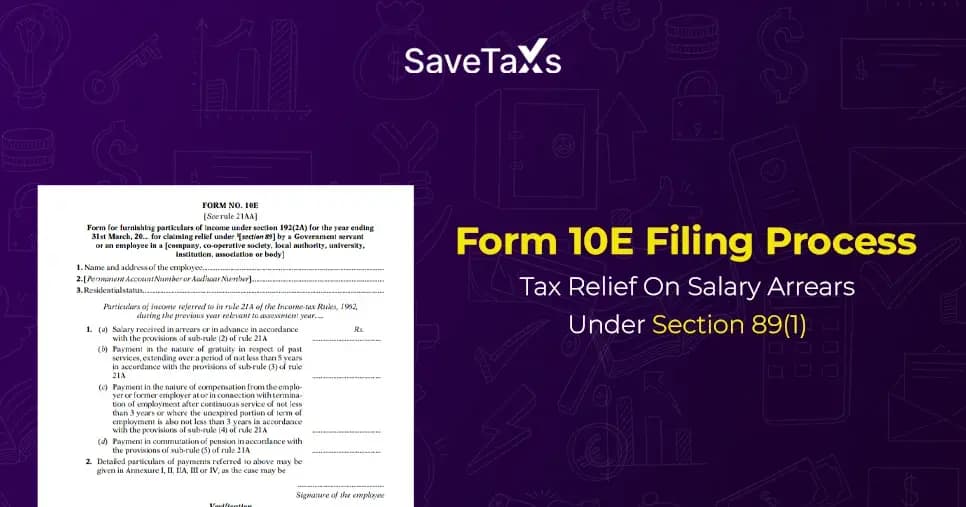
Income Tax Act Section 89(1) offers relief on the past dues paid in the current year. Additionally, when a taxpayer receives arrears or salary in advance, this makes the taxpayer worry about paying higher taxes on those arrears, as the tax rate has been at an all-time high.
However, the arrears do not need to be taxed in both years if the individuals have filed Form 10E and claimed a tax refund under section 89.
In this blog, we will discuss how to file Form 10E to claim tax relief under section 89(1).
The total net earnings are subject to tax computation. If the current year's income includes dues paid from the past, it raises concerns about paying higher taxes on such arrears.
However, do not worry anymore, as the taxpayer can claim relief under section 89 on the higher taxes paid, which were associated with the addition of the past dues.
This is how it works: if a taxpayer has received a portion of their salary as arrears or in advance, or has received a family pension in advance, they are allowed to claim tax relief under section 89(1), read along with Rule 21A.
If a taxpayer is eligible to claim tax relief under the Income Tax Act section 89 on salary received in advance or arrears, then they must file Form 10E. The Income Tax Department mandates the filing of Form 10E to claim tax under section 89 (1).
Section 89(1) lets the taxpayer claim tax relief for the delayed salary or family pension received in the form of arrears.
Any individual, be it a non-resident indian (NRI) or an Indian resident, must file Form 10E if they have received any of the income(s) during the previous fiscal year.
However, ensure that individuals who receive their salary paid from past dues due to voluntary retirement cannot file Form 10E when the tax exemption is claimed under section 10(10C).
Yes, Non-Resident Indian (NRIs) can file Form 10E. This is applicable if the NRIs are filing ITR 2 or ITR 3 in India and claiming a tax relief.
Form 10E can be filed online, and the steps are as follows:
Step 1: Using your user ID and password, log in to the e-filing portal.
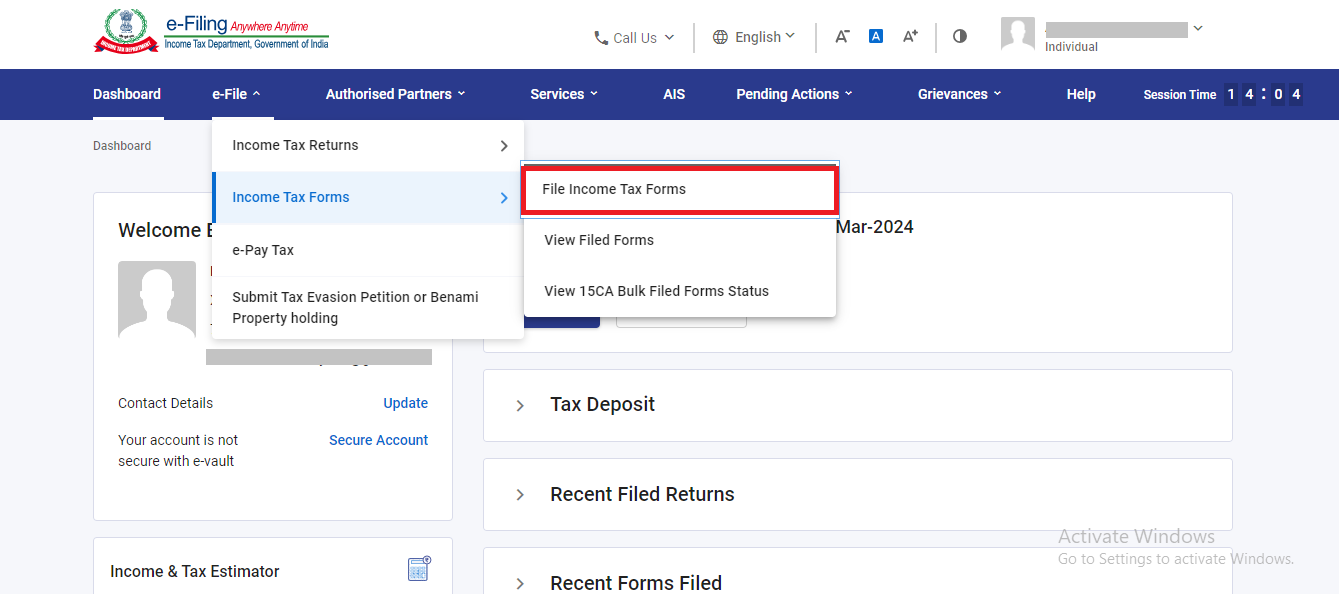
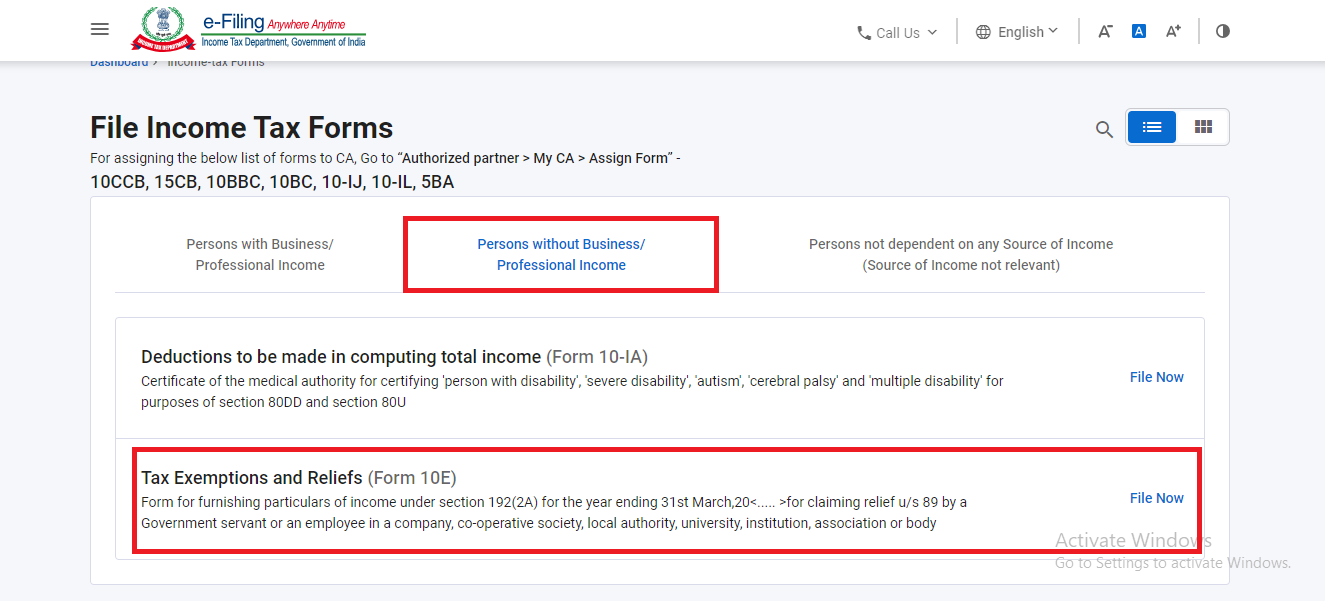
Step 2: Once you are logged in, click on the "e-file" tab and then select the second option, which is "Income Tax Form". And then select "File Income Tax Form".
Step 3: Post the selection of "file income tax form", a screen with three options will appear, namely, (i) Person with business / professional income, (ii) Person with business/professional Income, (iii) Persons not dependent on any source of Income.
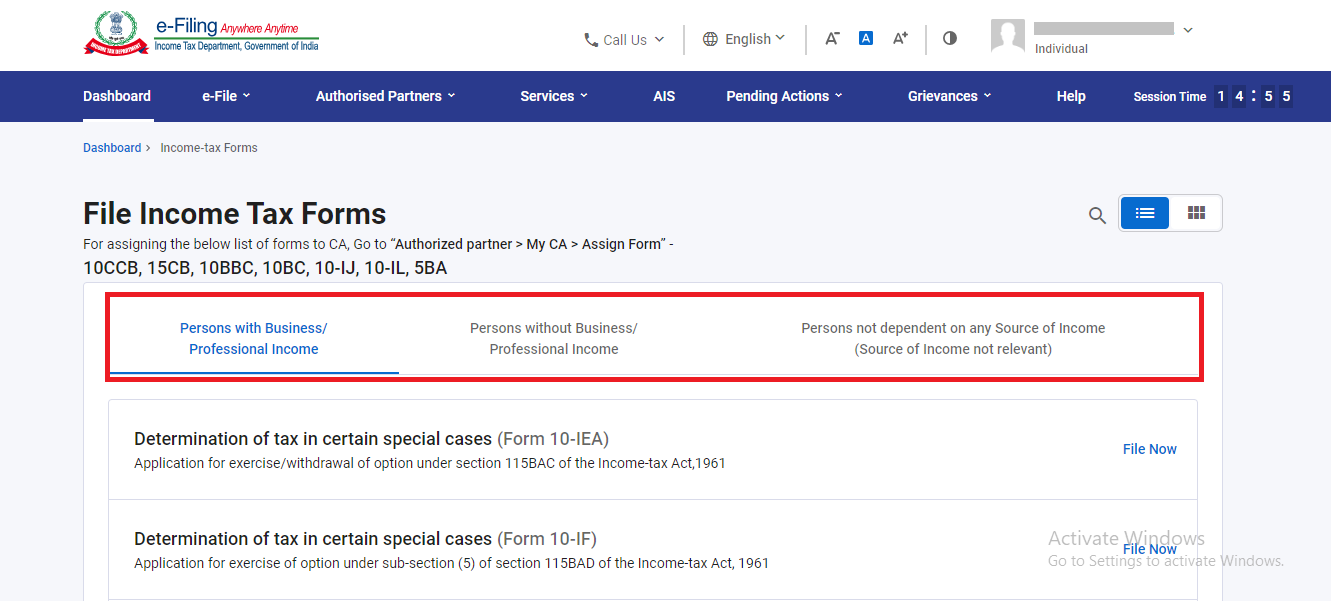
Step 4: Choose the second option, which is Persons with business/professional Income. Here, you will find Form 10E linked.
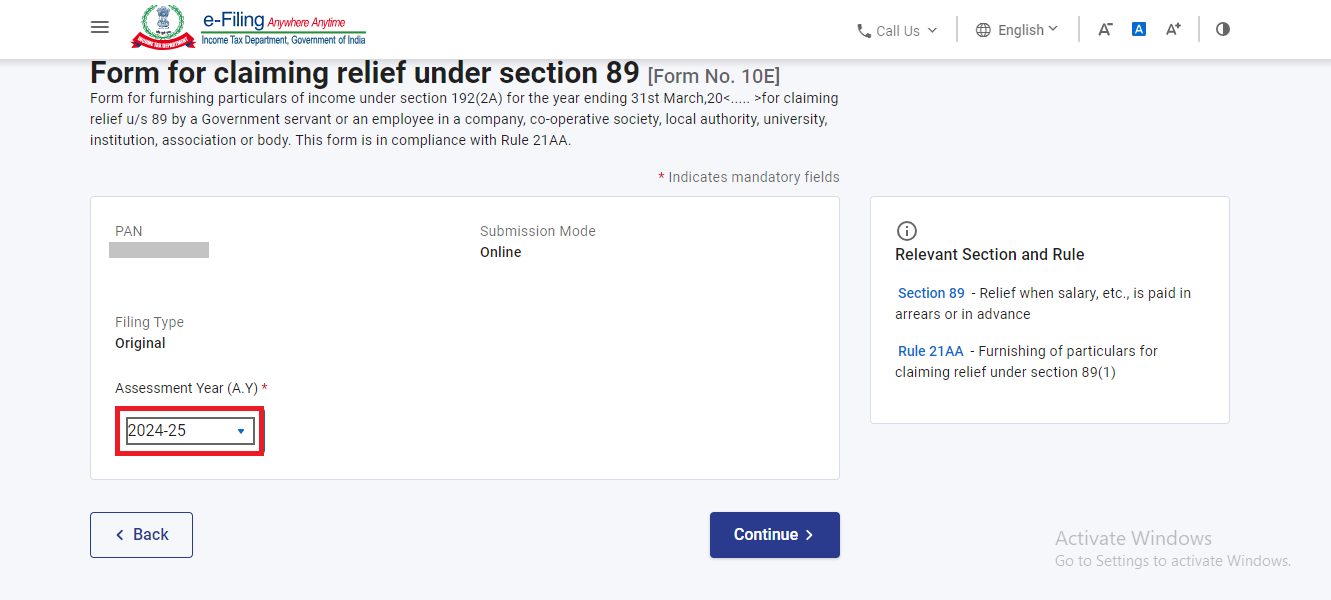
Step 5: Now pick the relevant assessment year for which you want to file Form 10E. For the financial year 2025-26, you can select the assessment year to be 2026-27.
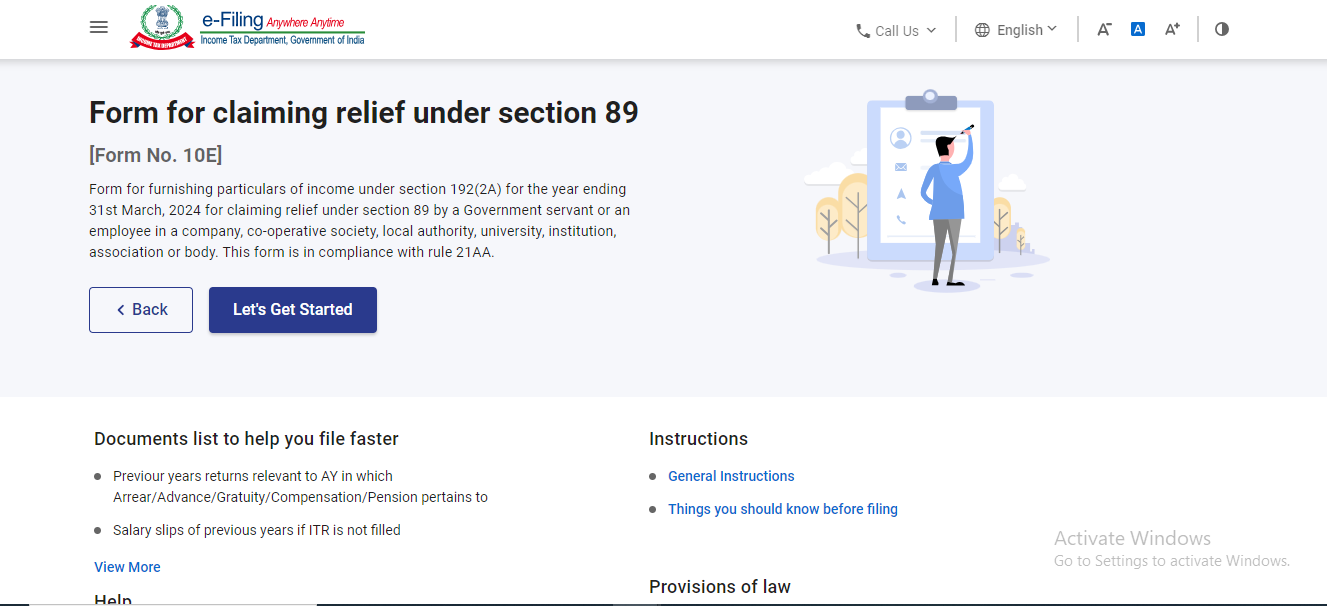
Click "Continue," and a "Let's Get Started" screen will appear.
Step 6: For instance, when filing Form 10E to claim tax relief on salary arrears, you must select Annexure I or the other appropriate fields.
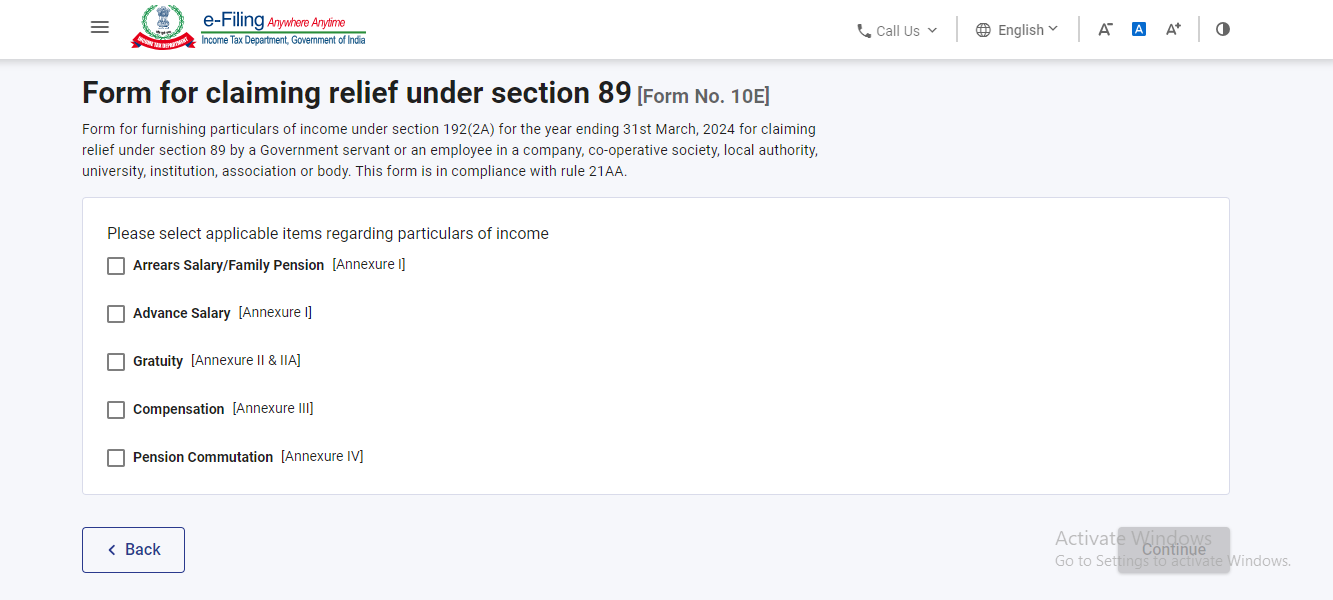
Step 7: Once the schedule has been filled out, you can proceed with filing Form 10E.
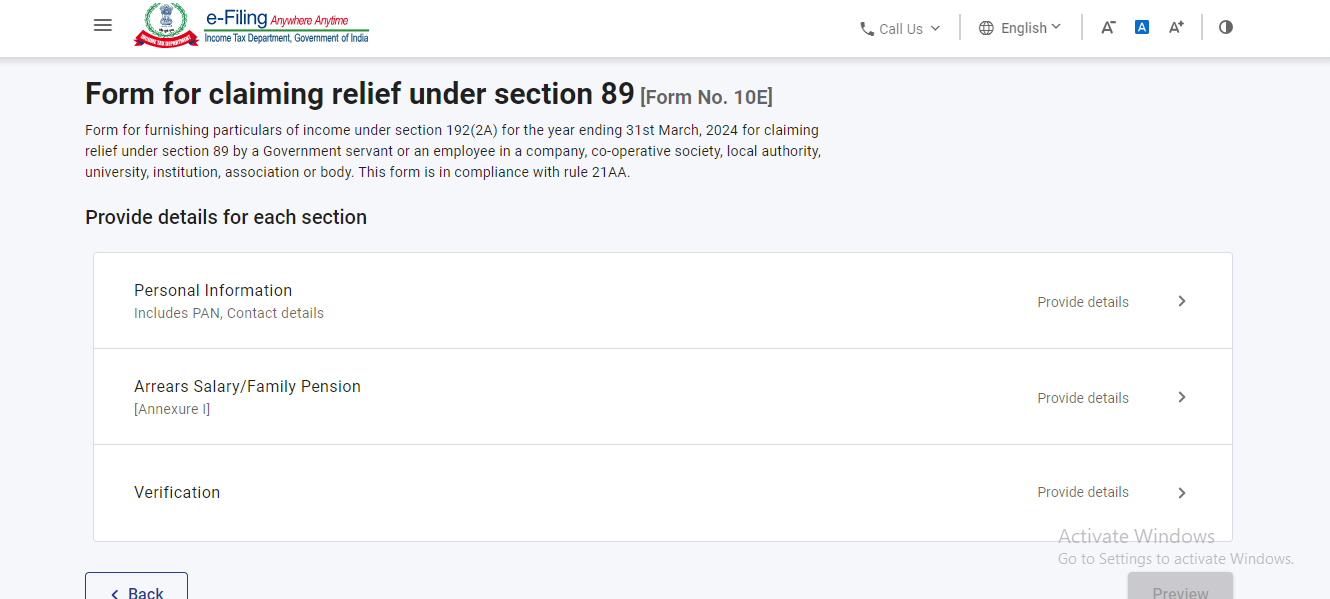
From 2014-15, the Income Tax Department mandated taxpayers to file Form 10E if they wished to claim tax relief under section 89(1). Taxpayers who have not filed Form 10E and claimed relief under section 89(1) will receive an income tax notice from the IT Department. The notice will state
"The relief under section 89 has not been allowed in your case, as you have not filed the online Form 10E. The furnishing of online Form 10E is required as per Section 89 of the Income Tax Act."
Below are the points to take into consideration about the Form 10E.
For any individual claiming tax relief under section 89(1), if the Income Tax Act requires them to file Form 10E mandatorily.
Form 10E cannot be filed offline. The entire filing process for Form 10E is online, and it must be filed and submitted only on the income tax portal.
The taxpayer will receive an income tax notice from the IT department in a case where they have claimed tax relief under section 89(1) of the Income Tax Act in the previous year but have not submitted the Form 10E on the Income Tax portal.
The Form 10E must be filed before filing the income tax return.
However, the arrears on he salary can be from the previous financial years, but while filing Form 10E, the taxpayer must choose the relevant assessment year in which they have ever received the arrears.
Form 10E helps individuals with salary to manage and plan their taxes effectively. Understanding the importance of this form and filing it correctly is crucial for individuals to avoid overpaying taxes due to arrears on the same income.
NRIs, the Indian Income Tax Laws might feel like an unsolved puzzle to you, but Savetaxs is here to make it all easy for you. Savetaxs is a leading NRI taxation firm that has been helping NRIs for over a decade with ITR taxation filing and more. By now we have helped thousands of NRIs to live a life where the stress related to their taxes has taken a back seat.
Our experts bring over 30 years of experience helping you file your ITR smartly while ensuring you claim every possible tax relief.
We serve our clients 24/7 across all time zones, connect with us today for a seamless tax filing experience.
This article is for general informational purposes only and does not constitute tax, legal, financial, or investment advice. Laws, regulations, rates, and procedures may change over time and may vary based on individual circumstances.
While SaveTaxs makes reasonable efforts to keep the information accurate and up to date, readers should verify applicable rules with official authorities or consult a qualified professional before making decisions based on this information.
Shubham Jain is the Founder of SaveTaxs and has extensive experience in Indian and NRI taxation. He advises individuals, NRIs, and businesses on tax filing, tax planning, capital gains, DTAA benefits, fund repatriation, and compliance matters. He regularly writes about taxation and related financial topics. His focus is on making complex tax concepts easy to understand. Through his articles, he helps taxpayers stay informed, avoid common mistakes, and stay compliant with Indian tax laws. See Full Bio
Want to read more? Explore Blogs

Answer: You can file Form 10E online on the Income Tax Portal. Here is how: