


PAN Card
PAN Card Fraud: How Check For The Misuse, Report, and ProtectPAN Card Fraud: How Check For The Misuse, Report, and Protect
Written by Shubham Jain
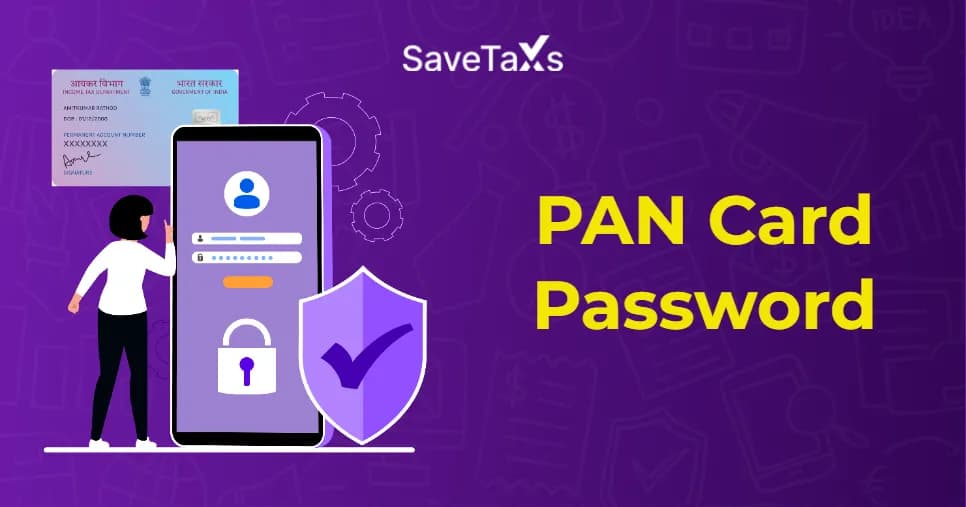
The e-PAN (electronic permanent account number) PDF is downloaded on your device in a password-protected file due to its confidentiality. It helps to secure your sensitive personal and financial information. The password for the downloaded e-PAN card PDF is your date of birth and date of incorporation (for companies) in the DDMMYYYY format. It doesn't include any spaces or special characters. Keep reading further to know more about the PAN card password format.
A PAN card password is a security feature that helps in safeguarding your e-PAN card since it is a confidential document. The e-PAN card is sent to you in a password-protected format when you download it as a PDF file from the Income Tax Department or NSDL. Entering the password is important to open the downloaded e-PAN card online.
PAN card password ensures the security of the sensitive information in your PAN card and is only accessed by authorized users. It protects against cybercriminals and their unpermitted access to your sensitive information or data. You will not be able to open or view the e-PAN card without this password.
The PAN password format is simple and easy to remember. It is basically your date of birth or date of incorporation in the DDMMYYYY format without any spaces, punctuation marks, etc. Here is how you need to enter your password:
For example, if your date of birth is 8th May, 2003, your PAN password would be 08052003. The password for the e-PAN card for a company will be the company's date of formation. Hence, if the formation date is 16th February 2005, the password would be 16022005.
Simplify your NRI PAN card application process from anywhere in the world with expert support from Savetaxs.
Accessing your PAN Card PDF is relatively simple. You just need to enter your DOB or the date of formation as a password, based on the type of PAN you have.
For Individuals:
As an individual, your PAN card PDF password is your DOB in the "DDMMYYYY" format.
For instance, if your date of birth is 19 May 1998, the password for your PAN card PDF will be 19051998.
For HUF, LLP, OPC, Private Limited Companies, & Partnership Firms
In this case, your PAN card PDF password is your firm's date of incorporation or date of formation, formatted as "DDMMYYY".
Once you enter the date in the right format as the password, your PAN Card PDF will open.
PAN card holders can download an e-PAN, which will be sent in a password-protected PDF file. As mentioned above, the PAN password format is DDMMYYYY. Here are the portals and steps to complete the PAN card download process.
Follow these steps to download the e-PAN card from the Protean e-Gov (NSDL) portal:
Note: Keep in mind that you can download the e-PAN card for free within 30 days of allotment. After 30 days, a nominal fee of ₹8.26 applies.
Follow the steps below to download your e-PAN card via the UTIITSL website:
Note: You will have to pay a fee of Rs. 8,26 to download the e-PAN card if downloaded after 30 days.
Here are the steps to consider to download the e-PAN card through the income tax e-filing website:
Get solutions for all your PAN card issues and grievances with expert help at Savetaxs.
PAN card holders cannot change the originally set password of their PAN card PDF. This is so because the password is system-generated by NSDL or UTIITSL for security purposes. The PAN Card PDF password will always be either your Date of Birth in DDMMYYYY format or Date of Incorporation in DDMMYYYY format.
However, instead of changing the password, you can remove or set a new one by creating a new PDF copy. Here's how you can do it:
The new PAN card PDF will be saved without a password.
Open the PAN card PDF in Adobe Acrobat Pro.
Enter the current password.
Important Point To Consider
Every Indian can now access their e-PAN card using a secure PAN card password. You must understand the PAN card password format. The password safeguards the sensitive information related to your personal and financial details. Also, the date of birth format for the password makes it easier to remember.
Furthermore, PAN card issues don't have to be stressful. You can seek expert guidance at Savetaxs and ensure the process is easier, and resolve any queries regarding PAN-card issues. Our team of experts ensures accuracy at every step of the process, whether it's a new application, correction, update, or reprint. Connect with us today and enjoy expertise, reliability, and transparency.
This article is for general informational purposes only and does not constitute tax, legal, financial, or investment advice. Laws, regulations, rates, and procedures may change over time and may vary based on individual circumstances.
While SaveTaxs makes reasonable efforts to keep the information accurate and up to date, readers should verify applicable rules with official authorities or consult a qualified professional before making decisions based on this information.
Vipul Jain is the Co-Founder of SaveTaxs and a tax expert with experience in Indian and NRI taxation. He advises individuals, NRIs, and businesses on tax filing, tax planning, capital gains, DTAA, and compliance matters. He focuses on making complex tax concepts simple and helping taxpayers make informed, compliant decisions. See Full Bio

Want to read more? Explore Blogs
_1780641850455.webp&w=828&q=75)
_1780465430494.webp&w=828&q=75)
_1780318424443.webp&w=828&q=75)